Asked By
Tom Jones
200 points
N/A
Posted on - 06/22/2011

Hi there,
I have a Windows Operating System and have installed VMware Workstation.
As I start the computer I have this HINT that pops up often.
It is as follows:
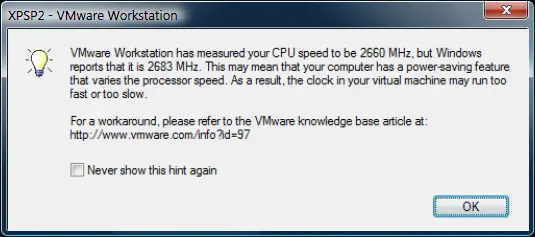
"XPSP2 – VMware Workstation
VMware Workstation has measured your CPU speed to be 2660 MHZ, but Windows reports that it is 2683 MHz. This may mean that your computer has a power – saving feature that varies the processor speed. As a result.
The clock in your virtual machine may run too fast or too show.
For a workaround. Please refer to the VMware knowledgebase article here.
Never show this hint again"
Is this a problem I should be alarmed about?
I visited the link provided in the “hint” and read through the instructions and options.
Should I make the adjustments as stated in the link?
Or should I just click on the “never show this hint again” option and ignore this message?
If I ignore this message without making the adjustments, would it harm my virtual system?
Would all these changes slow down my operating system?
Thanks for solutions.
Vmware Workstation pop up error issue
Dear Tom Jones
You don’t need to worry about the said issue; this is just a warning / hint message from VMware workstation and did not harm your virtual machine. If you make all adjustment as described in the article, it is good for your machine and can maintain your system speed. If you not make adjustments then your system will be slow down.
If you click on “Never show this hint again”, this hint message will not appear more resultantly your virtual machine working slow.
Suggestion:
Make all adjustments describe in an article for getting maximum performance / speed.
Take care
Kelin
Vmware Workstation pop up error issue
Hi there,
That is not actually something to be very worried about, unless you are doing really processor intensive tasks in the VM.
To be honest, the algorithms in modern processors that have cool 'n quiet (AMD) and Speed-step (Intel) have such advanced and complicated parameters that you really don't notice the speed jumps/drag downs when doing normal PC tasks.
The VM app is just saying that if you are trying to do some heavy CPU intensive tasks the processing speed to compute natively will be a little hampered, nothing that you should be alarmed.
















