Hi, I have recently upgraded my Uncleaner v 1.4 to Uncleaner v1.6. The new installation was successful. But after installation I am getting the following error.
I am using this on my Windows 8 RTM Enterprise computer. Can anyone tell me, how can I fix this error?
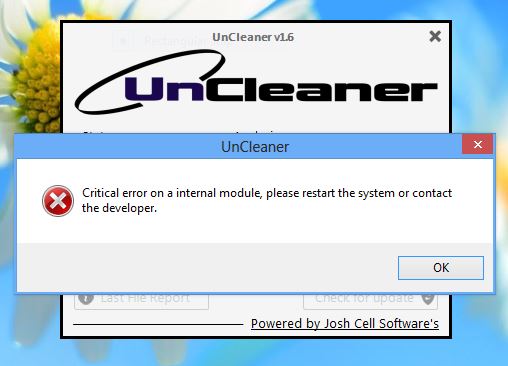
Error message: Critical error on a internal module, please restart the system or contact the developer.
Uncleaner v 1.6 error on Windows 8 RTM Enterprise
Hi,
Uncleaner v1.4 has been updated to Uncleaner v1.6 for smooth functioning. Users are happy with this new version. I think there was a problem while upgrading UnCleaner v1.4 to UnCleaner v1.6. However, you can go through the points mentioned below.
Make sure that GUI bugs are fixed and also Uninstaller bug. You have added file size in the File Report. You need to fix all the problems regarding the module of software updates.
As the version is beneficial to your machine you should take extra care while updating the same. If it is updated successfully the fatal error message will not appear any more.
I hope you understand it.
Uncleaner v 1.6 error on Windows 8 RTM Enterprise
Hello Trevor,
There must have been a problem that occurred during the upgrade that is causing the error that you are getting. To resolve it you will need to do the following:
-
Make sure that your computer is connected to the internet and then retry performing the upgrade and see if that resolves the issue.
-
If the above workaround does not resolve the issue, I will recommend that you go to the control panel and then uninstall the uncleaner, and then after that get the updated version of uncleaner and then install it on your computer.
Hope this helps.
Regards,
Carl