Asked By
Chloe-Jones
820 points
N/A
Posted on - 06/21/2011

Hi!
I hope someone could help me with this problem that I have for quite some time now. I don’t have that much time to research and browse for other forums and sites because I’m busy. Sorry for this. But I still hope someone would answer my question.
I just updated my iPhones' software to the latest version as my friend suggested me to do. But for some reasons, after I updated it, I can't delete the messages that I have on my mail.
I don’t want my inbox to be crowded with unnecessary mails.
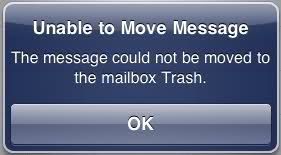
Unable to Move Message
The message could not be moved to the mailbox Trash.
OK
If someone knows how to fix this error, please do tell me by replying to this post.
Thanks!
Answered By
Kevin22
0 points
N/A
#127312
Unable to move messages to trash
Hi Chloe-Jones,
Don’t panic as I have a guaranteed solution on how you can go back to deleting your messages and thereafter, send them to the mailbox trash. It appears as if the settings on your phone have been changed accidentally so that the Mailbox Trash is not active.
First, on your iPhone, go to Settings. Once you’re on the Settings page, click on mail. Here, you’ll have an Advanced button, kindly select that. Now, on the next screen, you should be able to click on Deleted Mailbox. Now, all you have to do is to click on the “trash” button and this should be located right under the section, “on my iPhone”. If it has a check already, please just check it again and save the changes you have made. Now, you should be able to send messages to the Trash once more.
Good Luck!
Answered By
points
N/A
#127313
Unable to move messages to trash
This error is usually occurred when a user tries to delete an email using the device. In order to fix this issue follow the steps below”
1. Go to the “Home” button and select “Settings”.
2. By scrolling down find the item “Mail, Contacts, Calendars”.
3. Type your email account and then find “Advanced”.
4. In the box type in INBOX next to / after IMAP Path Prefix.
5. Press “Home” button and reopen your email and see that the problem has gone.
Unable to move messages to trash
Hi Chloe-Jones
Go this Techyv article, here you will get your desire answer as well you can enrich your knowledge by gathering huge information about the common error of iPhone.
Top Common 10 iPhone Errors
















