
Hi experts,
I am trying to connect the network proxy to the downloaded dropbox server using the preference sub menu.
However, I keep getting an error message that looks like this:
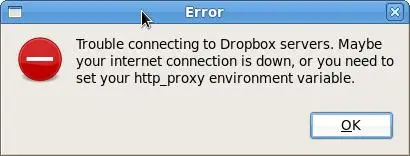
I don't know how to deal with this error. It works well with my laptop but my desktop always encounter this problem.
Can you guys figure out what's happening?
Thanks!
Error:
Error
Trouble connecting to Dropbox servers. Maybe your internet connection is down, or you need to set your http_proxy environment variable.
Trouble connecting the network proxy to Dropbox servers
I think, your solution has been emerged on your error message. It can happen by slow or restricted internet connection or also can probably be your http proxy environment has a trouble while you setup this.
Keep an eye to resolve this all at first. However, a perfect settings for connection is a vital issue to get relief from this connection problem. Follow the process below:
Go to start menu of your PC, and then control panel.
Select network and internet connection.
Now Click on Internet Options.
(In addition you can access Internet Options from your Internet Explorer's Tools menu)
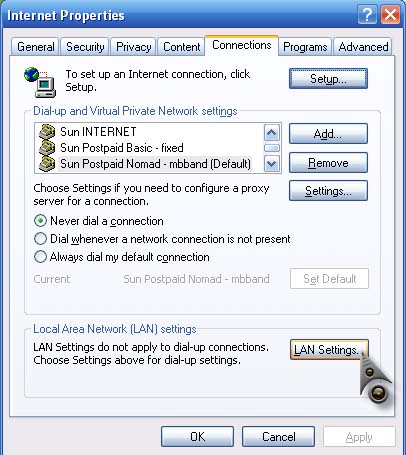
Now it's time to have a proxy settings. Basically proxy settings can be set by clicking on LAN Settings from the Connections tab.
If still the problem get continue take help from the site:
Trouble connecting the network proxy to Dropbox servers
Dropbox also supports connecting via proxy server and it works just fine. By default, it uses the internet configuration settings of your operating system. Since I’m not familiar with your operating system as with the screenshot you posted, here is how you can do it in Microsoft Windows XP. Click Start, Control Panel, Network and Internet Connections, then Internet Options.
In Internet Properties window, select Connections tab. Click LAN Settings. See image.
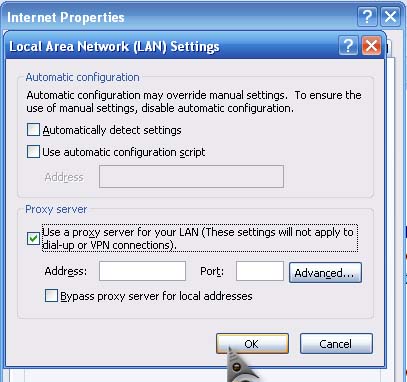
In Local Area Network (LAN) Settings window under Proxy server, check “Use a proxy server for your LAN (These settings will not apply to dial-up or VPN connections)”. Enter the required information and then click OK. See image.
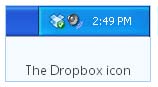
You can also configure the proxy settings directly from Dropbox using the Dropbox preferences panel. In your system tray, right-click on the Dropbox icon, select the gear icon then Preferences. See image.
Select Network tab. In Proxy Settings section, enter the proxy settings.
















