Tell me the usage of remote desktop connection in global network, not in local network.
I only want to use this program in global network.
How does Remote Desktop Connection works in Global Network
Hi,
You can use remote desktop in your global network easily. First you need to set up your local remote desktop in your computer.
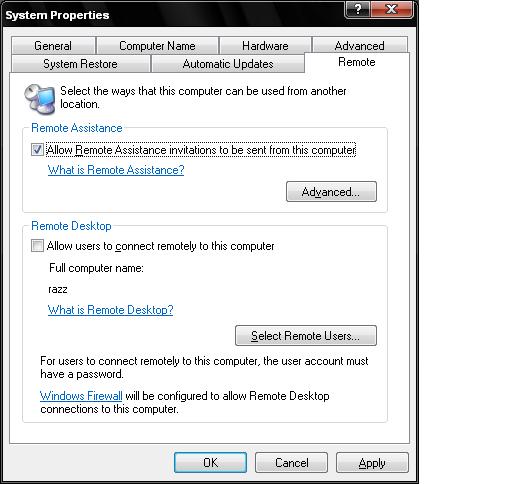
For this go to my computer icon and right click on it. Then click on properties.
Here click on remote tab and select those two checkbox and click ok then restart computer.
Now use software to use this remote desktop as global. You can find many software from this in web.
For example, use this software AT&T version 1.0. Now download this software and install it.
After this you can find that option.

How does Remote Desktop Connection works in Global Network
Hi,
Local area connection uses cat5 cord from modem to computer, and this is called Local networking. Also, computer to computer is still considered local networking.
Global networking is a communication that spans entire globe. This is helpful if you need to have access of a computer that hundreds miles away from you. This is called Terminal Services Client.
To do this remote desktop networking, here's how to do it;
-
Go to Start, right click My Computer icon
-
Left click Properties
-
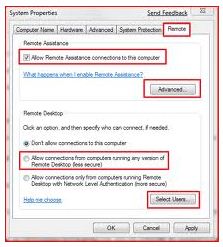
Go to remote tab and select 2 checkbox
-
Your computer is ready after restarting
-
You need to download the software of Global networking for it to work
-
Software is available in the provider of your Internet, AT&T is one of them.
Here is the link.