
No of visitors who read this post: 212
Category: Windows OS
Type: Question
No votes yet

Hi

I find a message when I try to set up the software. The message indicates that this software has failed in Windows Logo testing. So, this software is safe for use?
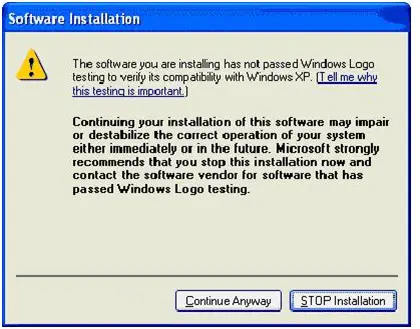
Software Installation

 
The software you are instaling has not passed Windows Logo
testing to verify its compatibility with Windows XP.
 
Continuing your installation of this software may impair
or destabilize the correct operation of your system
either immediately or in the future. Microsoft strongly
recommends that you stop this installation now and
contact the software vendor for software that has
passed Windows Logo testing.
 
                               Continue Anyway     STOP Installation

Please help.

Thanks.

Comment viewing options

Select your preferred way to display the comments and click "Save settings" to activate your changes.

#

Hello Dorethadhoward!

This problem occurs if you installed the security patch. Go to Add or Remove Programs in Control Panel. Select Windows XP Hotfix and click Remove. Restart your computer and try installing again. Another reason is because the driver you are installing with your device is not Windows driver signed. You can Continue Anyway to complete the installation if you are sure that the installer is correct. This applies to Windows XP 1. Right click My Computer and click Properties. 2. Go to Hardware Tab and click Driver Signing. 3. A popup will appear and select “Ignore – Install the software anyway and don’t ask for my approval”. Please be in changing settings as you might encounter problems later on. Additional Information: Microsoft has confirmed that this problem in the Microsoft products that are listed in the Applies to section










