
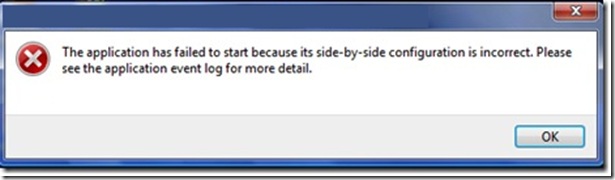
Greetings! I got an error with Microsoft Office 2010. A few months after I had successfully installed it on my computer, I was able to use it without problems. But recently, I could not be able to open Microsoft Office applications such as MS Word, MS Excel and MS PowerPoint. An error message popped up saying: “The application has failed because its side by side configuration is incorrect please see the application event log for more detail.” I have tried to revert to Microsoft Office 2007 and it worked well. What could be the problem here? Please help me. Thanks a lot.
Answered By
baliword
10 points
N/A
#102005
The Side by Side Configuration of MS Office 2010 is Incorrect
Hi,
This error occurs when your machine is missing the correct C++ runtime components for your type of system. (x86 or x64). Install the following update will resolve this issue.
Microsoft Visual C++ 2010 Redistributable Package (x86) (for 32-bit system)
Microsoft Visual C++ 2010 Redistributable Package (x64) (for 64-bit system)
http://www.microsoft.com/en-my/download/details.aspx?id=5555
The other method is to use sxstrace.exe tool
To run sxstrace.exe, open Visual Studio command prompt and type sxstrace.exe.
Then follow as below:
-
Before running your application, run sxstrace in trace mode:
sxstrace.exe Trace -logfile:C:MySxSTrace.log
-
Start your application again and produce the error
-
Now stop the trace by using the below command
sxstrace.exe Parse -logfile:C:MySxSTrace.log -outfile:C:MySxSTrace.txt
-
Open output file from C:MySxSTrace.txt
You will notice an error in the end of your trace file:
INFO: Parsing Application Config File C:Windowssystem32mmc.exe.Config.
ERROR: Line 0: XML Syntax error.
ERROR: Activation Context generation failed.
End Activation Context Generation.
Then open the Config file and search for some error in file as in my case i noticed the following error
configuration>
<runtime>
<assemblyBinding xmlns="urn:schemas-microsoft-com:asm.v1">
<dependentAssembly>
<assemblyIdentity name="Microsoft.WindowsAzure.StorageClient"
publicKeyToken="31bf3856ad364e35"
culture="neutral" />
<bindingRedirect oldVersion="1.0.0.0"
newVersion="1.1.0.0"/>
</dependentAssembly>
<dependentAssembly>
<assemblyIdentity name="Microsoft.WindowsAzure.StorageClient"
publicKeyToken="31bf3856ad364e35"
culture="neutral" />
<publisherPolicy apply="no" />
</dependentAssembly>
</assemblyBinding>
</runtime>
</configuration>
The first character "<" was missing before the "configuration>"
I put it back and MMC.exe start working fine.
Hope this will solve your problem.
Cheers!!
The Side by Side Configuration of MS Office 2010 is Incorrect
Jeffrey,
First of all you can perform a re-install of MS Office 2010 in your PC to resolve the issue. If the problem still continues, then do the following things –
1. Click Start > Run
2. Type regedit.exe
3. Find the registry key that starts with- "HKEY_LOCAL_MACHINECOMPONENTSWinnersx86_policy.9.0.microsoft.vc90.crt_".
4. Expand it and select the 9.0 registry key below it.
5. There will be a Name column. Note down the highest number in that column.
6. Double click the String Value to open the Edit String Dialogue box.
7. Replace the number in the Value Data Box with the highest number you noted down.
8. Exit and close the Registry Editor.
9. Restart your PC.
10. Locate the Access executable file (msaccess.exe). Replace msaccess.exe to msaccess.old .
11. Restart again your PC.
12. Now create a version of msaccess.Exe using windows installer.
The problem should be resolved now.
















