

Set a password for Internet Explorer.
Asked By
20 points
N/A
Posted on - 04/06/2012

How to set a password to log into internet explorer.
I am new to this stuff.
Can anyone please give me a step by step instructions?

How to set a password to log into internet explorer.
I am new to this stuff.
Can anyone please give me a step by step instructions?
You can put a password in your Internet Explorer by following these steps:
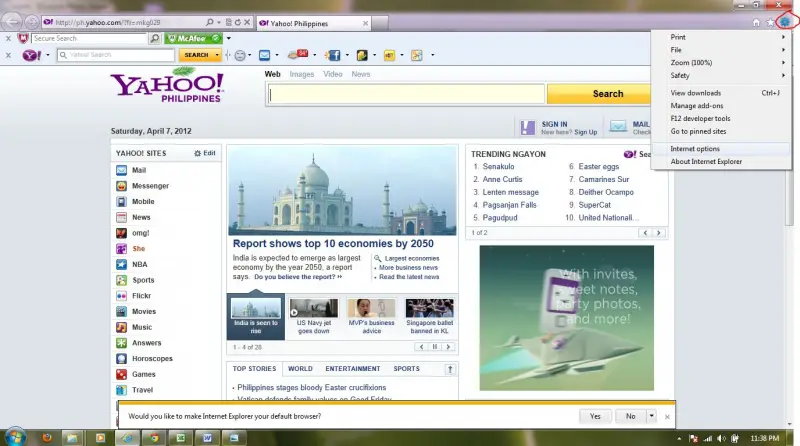
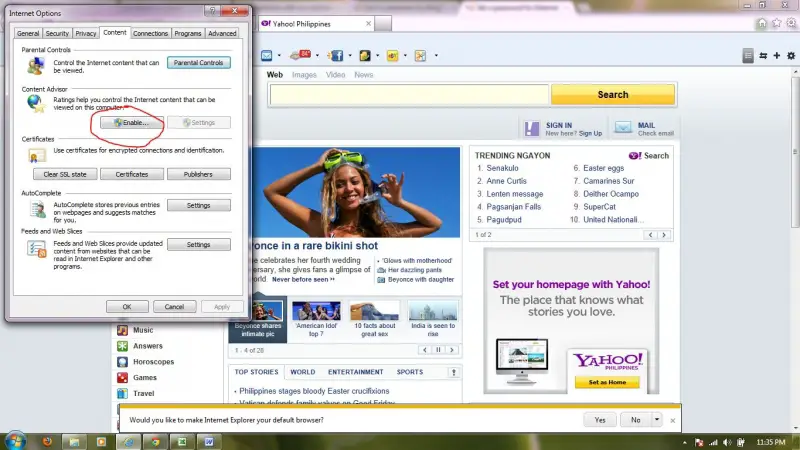
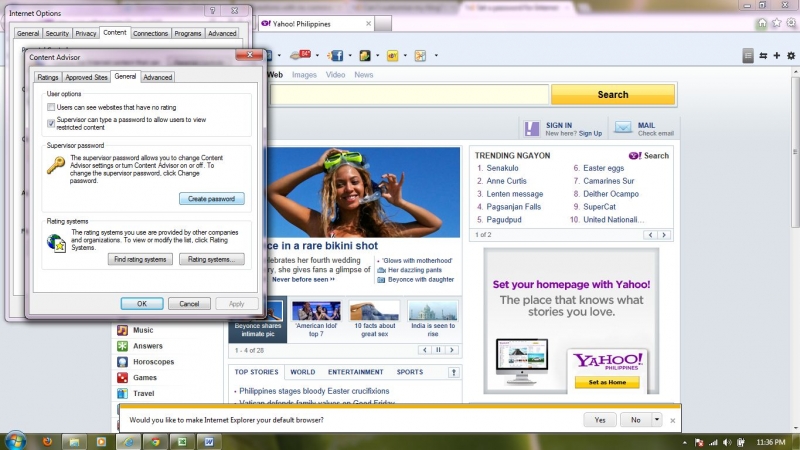
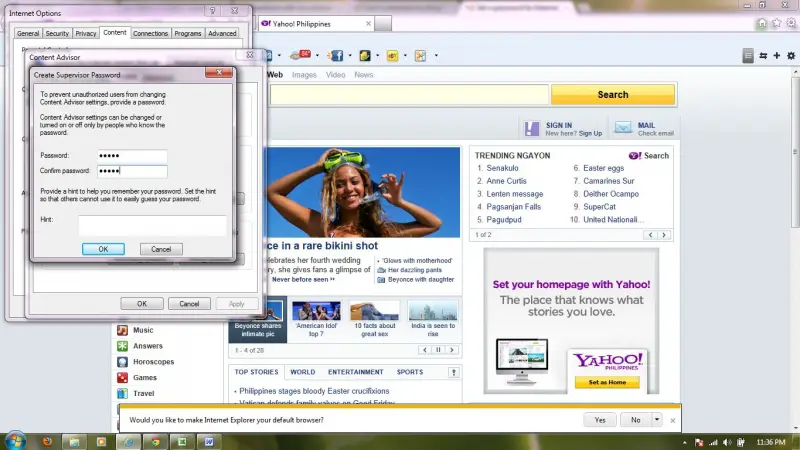

I hope this helps!

Basically, setting a password to Microsoft Internet Explorer for the general users is not possible because there is no way you can restrict users from using the browser with a password. What you can do is set a password to certain websites using Microsoft Internet Explorer’s Content Advisor. This way, you can filter which sites are not allowed.
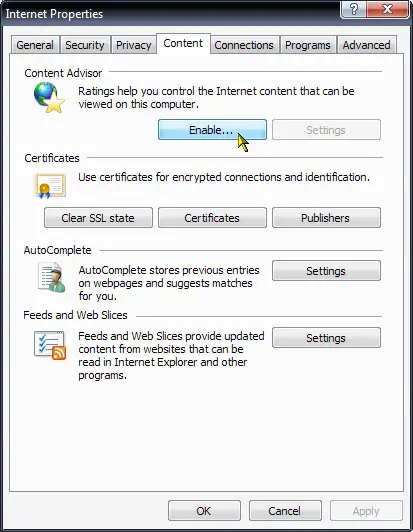
When a user attempts to visit a site that is restricted, the user needs to enter a password to access that site. To try this, click “Start”, “Control Panel”, “Network and Internet Connections” then “Internet Options”. In Internet Properties window, go to “Content” tab then click “Enable” under “Content Advisor”.
On the next screen, go to “General” tab then click “Create password” under “Supervisor password”.
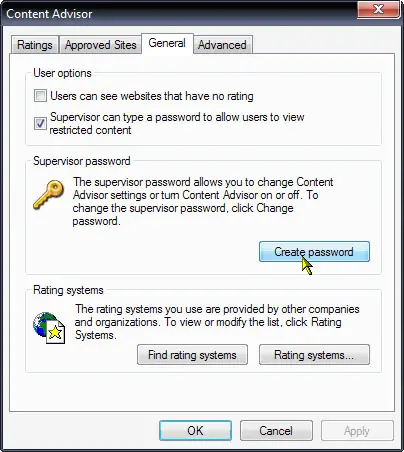
Once the password has been set up, go to “Approved Sites” tab and add the websites you want to filter. Websites you set to “Never” will never be opened regardless of the rating. After this, go to “Ratings” tab and set the restriction to each item on the list. When you are finished, click “OK”.












