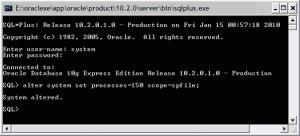
ORA-12519: Message 12519 not found
Asked By
0 points
N/A
Posted on - 07/22/2011

Hi all,
I have installed Oracle database and when I connected to it I have got this error:
ORA-12519: Message 12519 not found
I am not getting this message all the time, sometimes I have connected without any problems. When I get this message I have to try several times before getting connected. I don’t know the reasons of this message and how to set my ORACLE_HOME Environments variable, please I want any help or idea about this.
Thanks.