
Hello, I tried to install Autodesk AutoCAD Mechanical 2012. But at the installation it gets stuck with an error message.
Can any one suggest, how to install it properly?
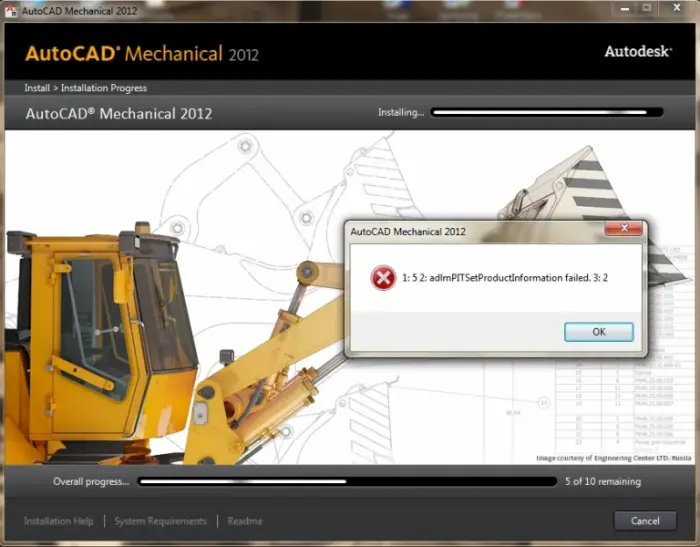
Error message: 1: 5 2: adlmPITSetProductInformation failed. 3: 2
Not being able to install AutoCad Mechanical 2012
Hi,
The real error what is holding up the installation is the following:
Check for Auto CAD Existence and return value 3.
It can be resolved easily by verifying that there is no Mechanical 2012 directory already present on the HD in the install directory, for example:
c:Program FilesAutodeskAuto CAD Mechanical 2012.
Remove or rename the directory and also make sure that the following key in the Registry is removed or renamed.
HKEY_LOCAL_MACHINESOFTWAREAutodeskAutoCADR18.2ACAD-A005:409
Now launch the installer again and try to install.
This time you should not have any problem.
Cheers
Hathy
Not being able to install AutoCad Mechanical 2012
Hi Harford,
Seems that there was a conflict with the previous version of AutoCAD installed on the computer here is what you can do to resolve the problem:
-
Start the installation
-
While it is running, Navigate Program Data > Autodesk and then wait until it creates “Adlm” folder.
-
Right click on the Adlm folder and then go to Properties > Security tab > Advanced
-
Look for Owner tab and then change the ownership to Administrators/user.
And then click OK on all windows and wait for the installation to finish.
















