
I can't update my Nikon D3100. After connecting it to my laptop and trying to update, it's always unsuccessful. I don't really know what's the problem. What should I do?
Nikon D3100 Firmware Update Error
Hi Katherine, I have read your question regarding how to update your Nikon D3100. Nikon just released a firmware update for Nikon D3100. Based on my research, you can update it by downloading the software on this site:
https://www.nikonimgsupport.com/ni/NI_home?ctry=US&lang=en_US
Check your laptop’s compatibility on the website. Maybe it is not compatible with the system requirements so you are receiving an error when trying to update it. Hope this helps 🙂
Nikon D3100 Firmware Update Error
Hi Katherine,
You must check if the antivirus software is disabled on the computer prior to updating the firmware. There is also a workaround that you can try, Recharge your battery, save the firmware in your SD card then insert it into your camera. If that fails, try this step, Update the camera with the adapter plugged in or with battery in full. Then Download the .EXE file for windows and .DMG file for Macintosh. Create a folder and name it accordingly, Save the update in the memory card then insert it in the camera, choose Firmware version then look for upgrade firmware. After upgrading turn off the camera then remove the memory card. Then the camera back on then check the firmware has been upgraded.
Nikon D3100 Firmware Update Error
Updating the firmware of your Nikon D3100 camera is very easy. The latest firmware update for the Nikon D3100 camera upgrades the A firmware to ver.1.02 and B firmware to ver.1.01. Before proceeding with the update, you should check first the current firmware version. To do this, turn on the camera and then press Menu. Select Setup and then “Firmware version”. It should display the camera’s firmware version.
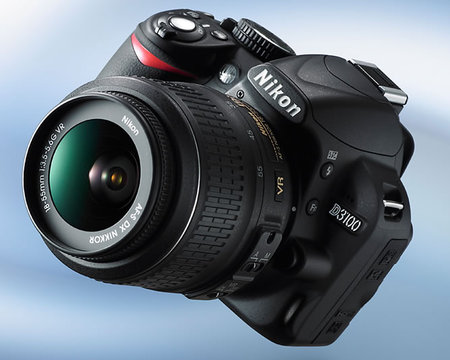
After that, turn off the camera. If the latest version is already installed, you don’t need to further update your camera. But if it is the stock firmware or the original firmware, you can proceed with the update. To update the firmware, you need to download first the firmware upgrade. Download the firmware upgrade from Nikon D3100 Firmware. Once downloaded, you can begin with the upgrade.
Take note, you need to check Accept before you can actually download the firmware upgrade.

Here are the steps how to update the firmware once you have downloaded the firmware upgrade. Before proceeding with the update, power the camera using the AC adapter or use a fully charged battery. And now, here are the steps. First, create a folder in your hard drive with an appropriate name. Next, copy the setup file or the firmware upgrade you downloaded to this folder you created.
Double-click on the setup file or firmware upgrade to create a folder named D3100Update which contains the D3100_0102.bin file. Next, copy the D3100_0102.bin file to the root of a formatted memory card. Insert the memory card to the camera’s memory card slot and then turn on the camera. Press Menu then select Setup. After that, select “Firmware version” and then follow the instructions displayed to upgrade the firmware.
Once the upgrade is complete, turn off the camera and remove the memory card. Finally, access the “Firmware version” item in the camera’s Setup menu to verify that the firmware has been upgraded.
















