
The following message shows when I wanted to patch my game.
What should I do to solve this problem?
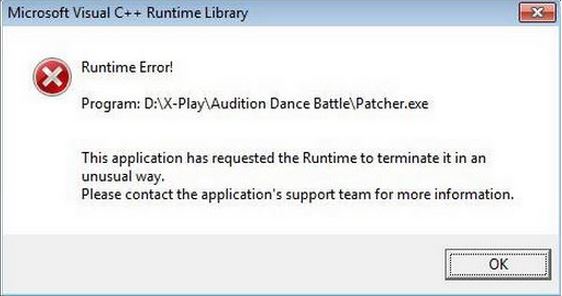
Microsoft Visual C++ Runtime Library
Runtime Error!
Program D:X-PlayAudition Dance BattlePatcher.exe
The application has requested the runtime to terminate it in an
unusual way.
Please contact the application's support team for more information.
OK
Please help. Thanks in advance.
Microsoft Visual C++ Runtime Library Runtime Error” error message
"How in order to optimize Internet Explorer"
Configuration settings in Windows Ie 7 and Windows Ie 8 may cause a number of the subsequent issues:
· You have performance problems in Ie.
· You receive a mistake message in Ie. For example, you obtain an "Internet Explorer cannot display the net page" error information.
· Internet Explorer halts responding.
The above article describes how you can optimize or reset Ie in Windows Vista to solve these issues.
~~~~~~~~~~~~~~~~~~~~~~~~~~~~~~~~~~~~~~~~~~~~~~~~~~~~~~~~~~~~~
http: //support. ms. com/kb/936215
"How to troubleshoot Ie issues in Home windows Vista and within Windows XP"
This article discusses how you can troubleshoot possible issues that you might experience when you utilize Windows Internet Explorer 7 or Windows Ie 8 on some type of computer that is operating Windows Vista.
~~~~~~~~~~~~~~~~~~~~~~~~~~~~~~~~~~~~~~~~~~~~~~~~~~~~~~~~~~~
http: //support. ms. com/kb/936214/
"How to troubleshoot compatibility issues that affect Internet Explorer 7 within Windows Vista"
This short article describes how in order to troubleshoot software compatibility issues that affect Windows Ie 7. To help figure out which program might be causing the issue, you can take the next steps:
1. Make use of safe mode along with networking
2. Execute a clean boot
3. Make use of a different user accounts
4. Scan your pc for viruses as well as spyware
5. Run Ie 7 in "No Add-Ons" setting
Hope the over helps.
Microsoft Visual C++ Runtime Library Runtime Error” error message
Since the problem was triggered after launching and installing the patch for the game then the problem is either with the patch or the game itself. Try reinstalling the patch first to verify if it is the one causing it. Click “Start”, “Control Panel”, and then “Add or Remove Programs”. Scroll down and look for the patch you installed for the game “Audition Dance Battle”.
Select the patch from the list then click “Remove” or “Uninstall” to uninstall it from your computer. Once it is uninstalled, run the patch again to install the patch back then see what happens. One of the users who encountered this problem was able to fix it by doing this method. On the other hand, if the problem continues, reinstall the entire game and apply the patch again.
Repeat the same steps to go to “Add or Remove Programs” in the Control Panel then uninstall the patch again. After this, uninstall “Audition Dance Battle”. Next, go to CCleaner Free Download then download and install CCleaner Free. Once installed, run CCleaner and clean your system. After this restart your computer. After booting, install “Audition Dance Battle” back and then the patch.
See if this works.
















