Asked By
lizgriffinn
10 points
N/A
Posted on - 08/23/2011

I am Using Adobe Illustrator for Graphics, but today I receive an error, and I try to remove this error but I can not do.
I reinstall Adobe illustrator so that this error can be removed, but I can’t remove it. Please tell me its solution.
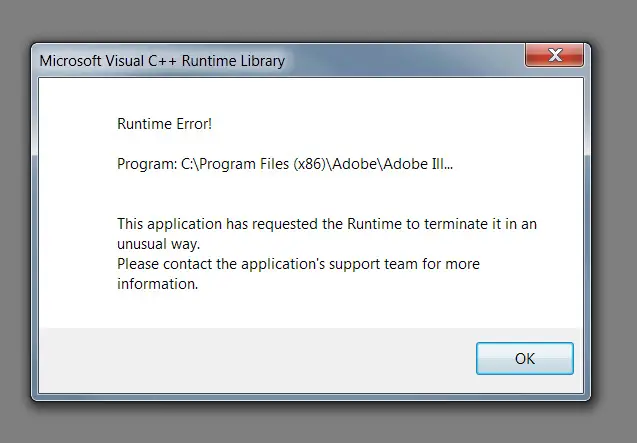
Microsoft Visual C++ Runtime Library
Runtime Error!
Program: C:Program Files(x86)Adobe Ill…
This application has requested the Runtime to terminate it in an unusual way.
Please contact the application’s support team for more information.
Thanks.
Microsoft Visual C++ Runtime Library Error in Adobe Illustrator
Hi, Lizgriffinn's,
Generally this is a Software Issue and the Only way you solve this problem is if Adobe update their software.
However try doing the following in most cases it works,
1. We are going to Disable the Updater.api plug-in.
2. Go to the folder where Acrobat or Adobe Reader is installed, most of the times in C:Program FilesAdobeAcrobat 8.0Acrobatplug_ins
3. Try to Rename the Updater.api plug in to Updater.api.old.
4. Now try to Relaunch Acrobat or Reader.
Another option is to Contact Adobe on their website and see if they have released the new Updated Version Or try to uninstall the program and re-Install it again.
Salutes from Kate Brumfield
Microsoft Visual C++ Runtime Library Error in Adobe Illustrator
Since the problem is a runtime error then one or more of its components might be corrupted and that what makes Microsoft Visual C++ Runtime Library to throw a runtime error. This problem can usually be fixed by deleting a hidden folder called “Adobe Illustrator CS2 Settings”. The folder is located in “C:Documents and Settings<username>Application DataAdobeAdobe Illustrator CS2 Settings”.
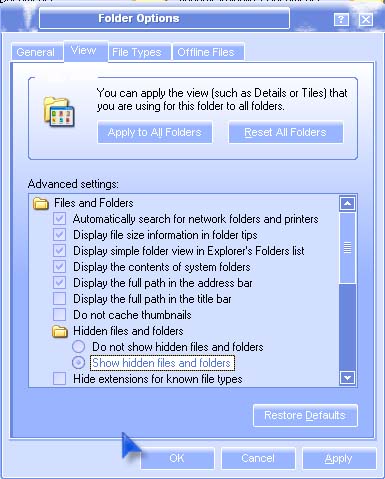
To delete it, open Windows Explorer then enable the viewing of hidden files and folders. To do this, in Windows Explorer, click Tools, and then Folder Options. Select View tab. Under “Advanced settings”, check “Show hidden files and folders”, click Apply and then OK. See the image below.
After changing the display option of Windows Explorer, navigate your way to this location: “C:Documents and Settings<username>Application DataAdobeAdobe Illustrator CS2 Settings” and then delete the folder “Adobe Illustrator CS2 Settings”. Try opening Adobe Illustrator after that then see if this fixes the problem. But if in case the problem was not fix try reinstalling the application.
Microsoft Visual C++ Runtime Library Error in Adobe Illustrator
This problem happen by runtime components in Visual C++ Libraries is lost. Or maybe it is software problem. If the problem is runtime components in Visual C++ libraries you can reinstall the components of Visual C++ Libraries to resolve this issue.
Visit this Techyv post to get more idea.
Error running True Image Home: Microsoft Visual C++ Runtime Libra…
















