Asked By
paul_bd2
0 points
N/A
Posted on - 09/11/2011

Hi, I have configured my SMTP and POP on MS Outlook to send and receive email using outlook.
After configuring these two, I have got an error message every time I am going to connect with my mail server.
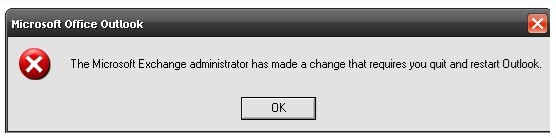
The error message is:
Microsoft Office Outlook
The Microsoft Exchange administrator has made a change that require you quit and restart Outlook.
Need help if anyone can do to resolve this problem.
Microsoft exchange error message while configure outlook
Hello Paul,
The error message that you are getting can show when a user's mailbox has been transferred to another mailbox store or mailbox server.
So you will need to check that and restore the mailbox from the mailbox store or server and see if that will resolve the issue that you are getting.
Regards,
Nicke
Microsoft exchange error message while configure outlook
Hello Paul,
This error usually appears when the user's mailbox is moved to a different mailbox store or mailbox server.
What prompts Outlook to display this message other than a mailbox move?
Or, When a mailbox is moved in the above manner, what is actually resulting in triggering Outlook to display this message?
Here is something you can follow.
You can try at repairing OST file to see if this problem is solved. Follow this method to scan & repair the .ost file.
-
Close Outlook.
-
Click Start menu > Run.
-
In the Open field, type & enter
drive:Program FilesCommon FilesSystemMapiLocaleIDscanost.exe
(Where LocaleID = locale identifier (LCID) for your installation of Microsoft Office. For an example, the LCID for English – United States is 1033. For the list of LCIDs, search Microsoft Office Help.
-
Click OK.
-
Click either of the two options, Scan all the folders or Choose the folder to scan. If you opt to Scan all folders, this will take several minutes as usual.
-
After scanning is done. Select the Repair errors check box.
-
Then Begin Scan.
All the details of actions that was performed during the scan and repair process are saved as a message in the Outlook Deleted Items folder with the title "OST Integrity Check."
Take a look at these sites for Outlook troubleshooting guide.
Article from SearchExchange
Microsoft Support Site
Hope this will help you!
















