
How to enable VIP list in Apples mail in OS X. How exactly I can make a VIP list and store mails in it and how to access those quickly with a single click. Detail explanation required please.
Mails VIP list in Mac OS
Hi,
It is very easy to add contacts to VIP list in Apple Mountain Lion. The VIP list is not set by default so you have to add contacts to the VIP list. Just follow these simple steps:
1. In your mailbox, simply right click on any mail from the contact that you want to add to the VIP list and select add to VIPs.
2. You can also add contacts by clicking the star that appears beside the mails. See the screenshot below:
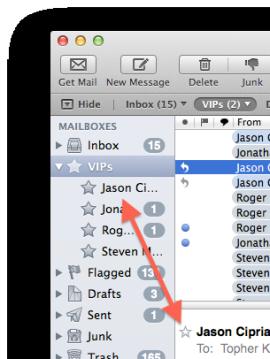
After adding contacts to your VIP list you can easily see the mails received from them by clicking any of your contacts.















