Asked By
ashley.bila
40 points
N/A
Posted on - 08/17/2012

Hi experts,
When I try to make active my Webroot SecureAnywhere, it displays
The Keycode" could not be verified at this time. Ensure that Webroot is allowed to connect to the Internet and try again.
Need your help to solve this. Please help me.
Thanks a lot.
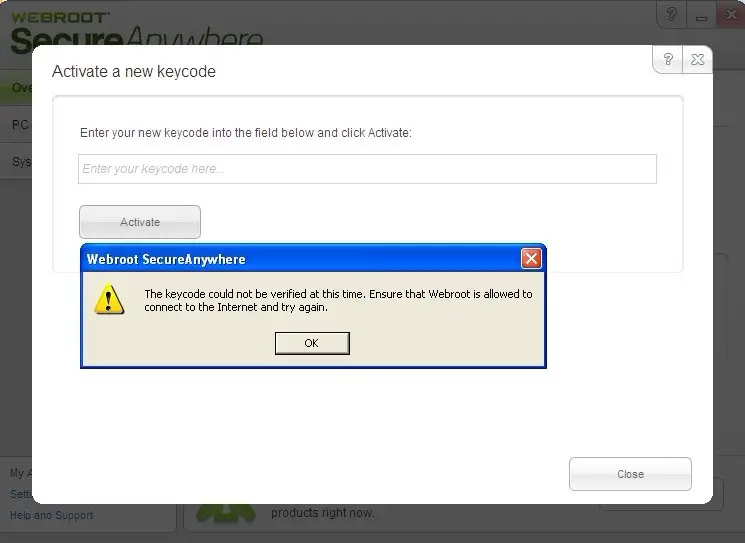
The keycode could not be verified at this time
Hi,
To install the Webroot SecureAnywhere software you need to have an internet connection. It is mandatory to be connected to the internet while installing the software. Try the following steps:
1. Firstly, uninstall the Webroot SecureAnywhere software that you installed.
2. Restart your computer and connect to the internet. Check whether yours has network access by visiting: www.google.com or any other website.
3. Then install Webroot SecureAnywhere software on your computer and enter the keycode.
4. At the end of this process you will see that the keycode is accepted and the software is working. The screenshot is shown below:
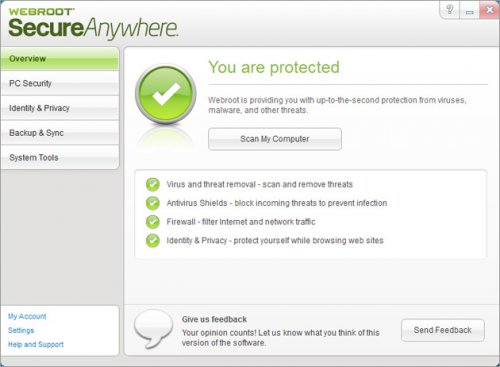
The keycode could not be verified at this time
Hello Doriswneil!
The first thing you need to do is to check if you are connected to the Internet. You need to be connected to the internet to verify the Activation Code. If you are sure that you are connected, make sure you type the correct Activation Code.
Please do not forget that the code must be genuine/legit and Activation Code is only good for one time use.
The keycode could not be verified at this time
It seems you are trying to activate a program called “Webroot SecureAnywhere” but the program cannot verify the code you provided. In this case, make sure your internet connection is working. Open a web browser and visit a website and try clicking a link. If there seems to be no problem, check if you have a firewall installed on your computer and it is not blocking Webroot SecureAnywhere.
Check the settings of your firewall and make sure the program allows Webroot SecureAnywhere to connect to the internet. But if you cannot access a website with your web browser, try checking your connection. Check the cable connected at the back of your CPU. Disconnect and reconnect the network cable from the network port at the back of your CPU.
If your computer is connected to a router, try resetting the router. If there is a reset button, just press it to reset the connection. But if it doesn’t have a reset button, just turn it off or disconnect the power for about 10 to 20 seconds and then power it up again. If the problem continues, contact your ISP.
















