
I study a little bit about QuickBooks and observed that there is an item category called non inventory part. Can somebody explain me what is that and how can I link to that an account?
I want to know something from QuickBooks.
I will tell you about a non inventory part in QuickBooks. Non inventory parts can be used to record transaction other that inventory item. It can be any other expense, income etc.
I will show you how it should be linked to an account. We will think that there is an account Bank charges. We will see how to a non inventory part called “bank charges” should link to that account.
First go to the item list by clicking list then item list.
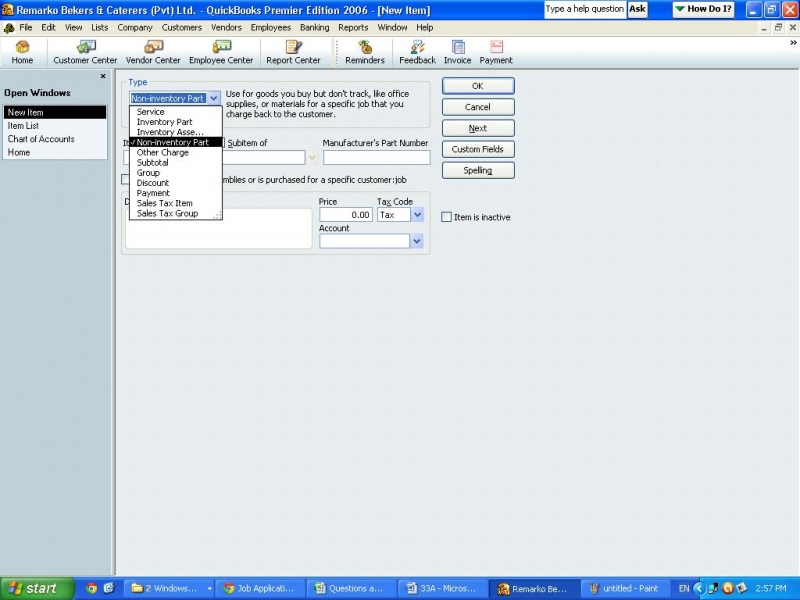
Then, type Ctrl and “n” keys together then a window select the non inventory part in type drop down list.
Type the item name as “bank charges” and select the bank charges account from the account. And click ok.
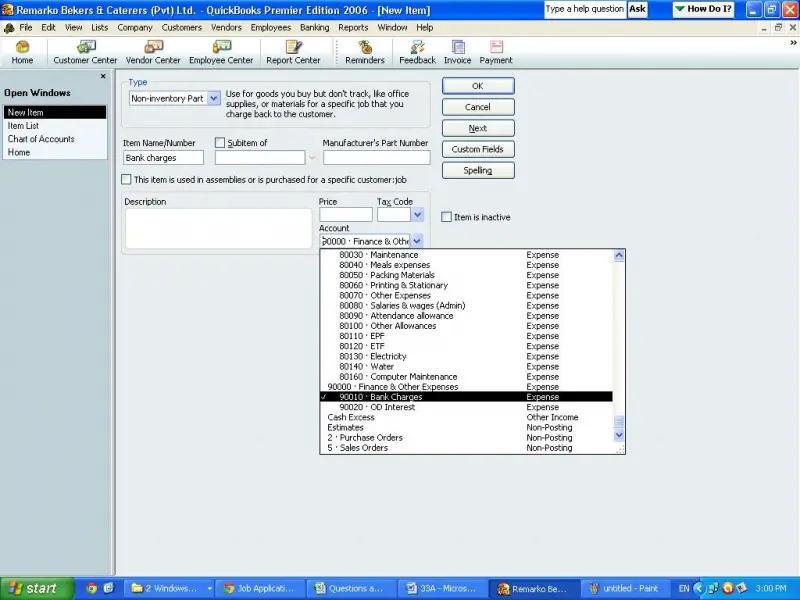
Now that item has been linked to the account.















