No of visitors who read this post: 180
Category: Windows OS
Type: Question
Author: Kimghartwick
No votes yet

Hi all

I tried to enable the Task Manager if it was put out of action but I got that when I tried to do it, my Registry Edit was also disabled.

I recognize this is most likely due to a virus; however I scanned my PC many times with McAfee Antivirus 2010 but found nothing. 

But, I'm having problem to enable the regedit. Also I attempted every way listed but I continue getting error messages. This is the major one:
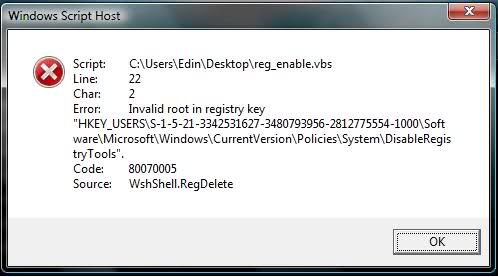
Windows Script Host

Script:                 C:\Users\Edin\Destop\reg_enable.vbs
Line:                   22
Char:                   2
Error:                   Invalid root in registry key
"HKEY_USERS\S-1-5-21-3342531627-3480793956-2812775554-1000\Soft
ware\Microsoft\Windows\CurrentVersion\Policies\System\DisableRegis
tryTools".
Code:                  80070005
Source:                WshShell.RegDelete

                                                                      OK

What should I do now? Please help me to solve it.

Thanks a lot.

Comment viewing options

Select your preferred way to display the comments and click "Save settings" to activate your changes.

#

Hallo Kim,

Usually when the task manager refuses to work your computer is most likely under virus or malware attack, and the possible ways to resolve the problem will the following;

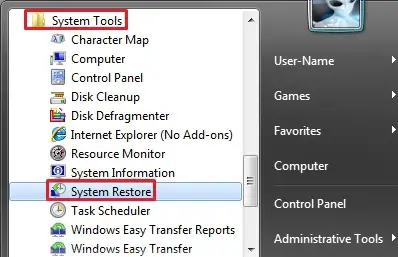
  • You will need to restore your computer to a time earlier before you started experiencing the error. Do the following:
    • On your computer open the Start Menu
    • And then click on All Programs >> Accessories >> System Tools
    • After that click on  System Restore.
    • After the set the restore point and then let the restore process begin.

Another resolution will be to format the computer and reinstall everything afresh.

Regards,

Carl