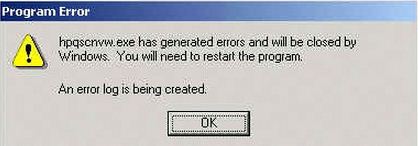
I receive an HP application exception error
Asked By
10 points
N/A
Posted on - 08/21/2012

I accidentally deleted hpqscnvw.exe oblivious to the fact that it’s an important file for my HP PSC All-in-One with Digital Imaging. Every time I open my PC or run other programs, I receive an HP application exception error “hpqscnvw.exe has generated errors and will be closed by Windows. You will need to restart the program. ”
This is now causing significant damage to my system. If it is the solution, how can I restore the .exe file?
Is it possible to clean damaged files if there are any?