No of visitors who read this post: 209
Category: Server Software
Type: Question
Author: Bettyjfrance
No votes yet

Hello

I get the following "transport failed" error. Need your help to solve it.
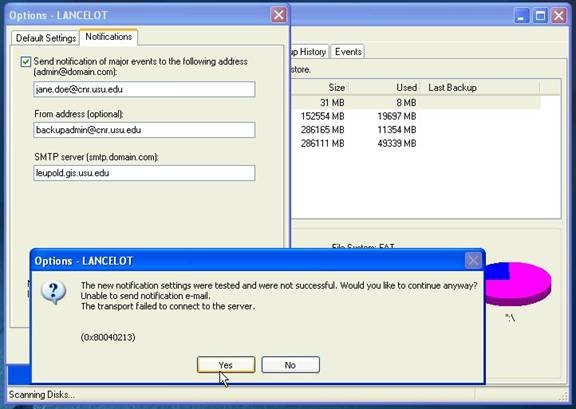


Options - LANCELOT
 
The new notification settings were tested and were not sucessful. Would you like to continue anyway?
Unable to send notification e-mail.
The transport failed to connect to the server.
 
(0x80040213)
 
                                   Yes     No

Thanks a lot.

Comment viewing options

Select your preferred way to display the comments and click "Save settings" to activate your changes.

#

Hi,

When the message appears, click 'OK' and do the following:

1. Right-click on the McAfee AntiVirus icon in the taskbar

2. Select 'VirusScan Console.....'

3. Double Click on 'Access Protection'

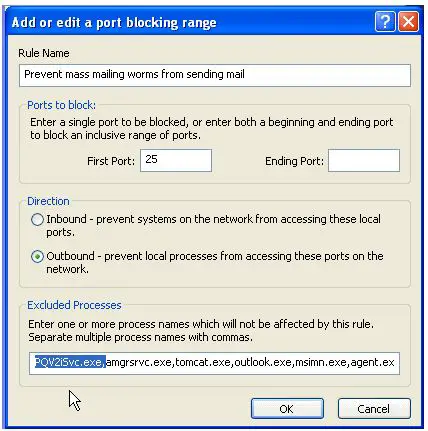
4. Double Click on 'Prevent mass mailing worms from sending mail'

5. Type 'PQV2iSvc.exe at the arrow indicated area below

6. Click 'OK' and then 'OK'

Close the McAfee VirusScan Console window and Restart your computer

I think your problem has been solved

Hathy