Asked By
ynna saul
0 points
N/A
Posted on - 03/21/2012

I encountered this Microsoft Visual C++ Runtime Library error prompt. The program in question is the MapleStory.exe.
Runtime Error!
Program: C:Program FilesWIZETMapleStoryMapleStory.exe
This application has requested the Runtime to terminate it in an unusual way.
Please contact the application’s support team for more information.
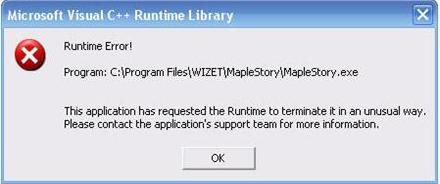
I encountered this Microsoft Visual C++ Runtime Library error prompt
It is an internal error caused from within or by the executable file MapleStory.exe. I think this is the launcher file of the game. Incompatibility issue usually appears when you receive a runtime error but not always besides receiving the “this is not a valid win32 application” message.
Check again the system requirements of the game so you will know if your game is compatible with your system. Check the page where you downloaded the game, I’m sure you will find there the system specifications for the online game you downloaded.
If the game is compatible with your computer, you may try uninstalling MapleStory from your computer then install it back. This will fix any corrupted files in the installation and will restore its settings back to default.















