
These days DropBox is generating me a problem the time I try to log-in into it. The log-in process remains quite slow and ultimately it ends with an error message stated as follows. Thereafter, its icon on the taskbar gets disappeared. What step should I take now?
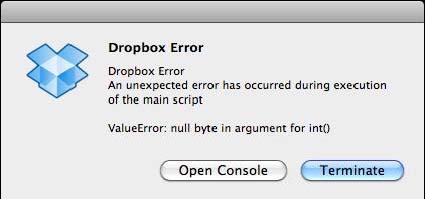
Error:
Dropbox error
Dropbox error.an unexpected error has occurred during execution of the main script.
Valueerror:null byte in argument for int()
I am getting dropbox problem
Hello Joseph.
Based on your screenshot, you are using Dropbox on a Mac OS. Let's get right down to the solution. I assume you are familiar with using the terminal and command lines on your Mac OS. If you know Unix, Linux or FreeBSD then you should not have a problem with the instructions below:
1. Go to the folder of dropbox by typing "cd .dropbox" on a terminal window.
2. List the directory contents by typing "ls". Look for a file named "dropbox.db".
3. Delete dropbox.db by using the "rm" command.
4. Startup Dropbox.
It should be able to synchronize and the icon should appear as it usually does in the taskbar.
Hope this helps!
I am getting dropbox problem
It seems there’s a problem with your Dropbox client. If you need to use Dropbox on a Mac PC, you should update to the latest version. Download the latest Dropbox Client on your computer and install it. For Windows, it supports Windows 7, Windows 8.x, and Windows 10. The latest version at the moment no longer supports Windows XP and Windows Vista.
If you want to use Dropbox but you can’t upgrade your operating system, you can still access the web version. Just visit the Dropbox Home page and log in to your account. You will still be able to upload files to your account using the web interface but you are limited only to 20 MB per file.
For Mac, the latest version supports OS X 10.9 Mavericks until OS X 10.13 High Sierra. If you are using the latest OS X 10.13 High Sierra, you need to use Dropbox 10.4.26 or higher for Dropbox to work.
















