
AS I am trying to install the software for my HP Color LaserJet 2600n. It is getting an error which says, spooler subsystem app error. Why am i seeing this error? And how do I solve it?
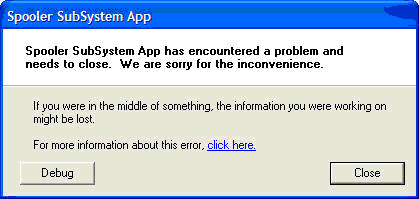
Spooler Subsystem App
Spooler Subsystem App has encountered a problem and needs to close. We are sorry for the inconvenience.
If you were in middle of something, the information you were working on might be lost.
HP Color LaserJet 2600n Spooler subsystem app error message
Hello Azreil,
It's a common Spooler Issue. Try this simple yet effective steps to rectify the issue.
– Go to Command Prompt. Type CMD under on the Search Box then hit Enter.
Note: If unable to execute on Command Prompt, manually look for Command Prompt by going to "All Programs", "Accessories" and Right-Click Command Prompt then select "Run as Administrator" to gain full control.
Please observe proper spacing.
– On the Black Screen type – net stop spooler then hit Enter.
– On the Black Screen type – net start spooler then hit Enter.
– On the Black Screen type – sc config spooler depend= rpcss then hit Enter.
This step will refresh/restart the spooler subsystems and delete all corresponding dependencies producing such error.
You may install the software after completing the steps.
Regards,
Korskey
















