
I recently started to learn about Microsoft excel. I heard about the many options available in excel. Further I heard using the filter option we can do a lot of work in exile. Can anybody explain me how to use the filter option in excel.
How to use the filter option in Microsoft excel?
What you have heard about Microsoft excel is absolutely correct. Using filter option we are able to do a lot of work in excel.
I will show you how to apply filter option for an excel data series and different uses of the same.
Please see the below image.
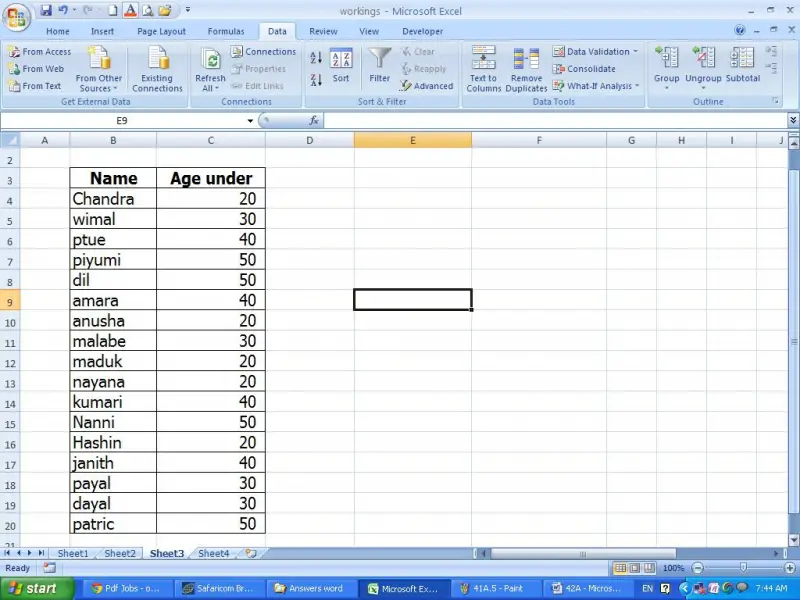
In order to apply filter option for the given example, first select the entire table.
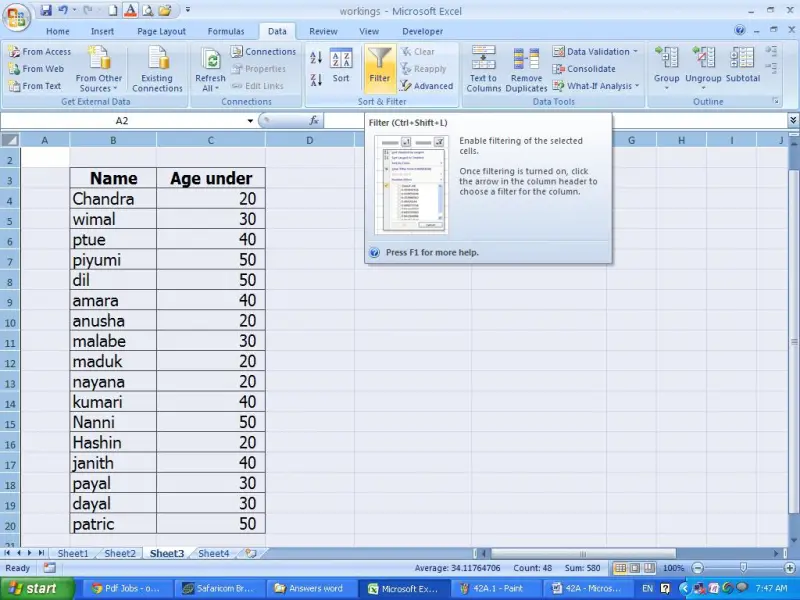
Then click on the data tab and click on the filter icon as shown in the below image.
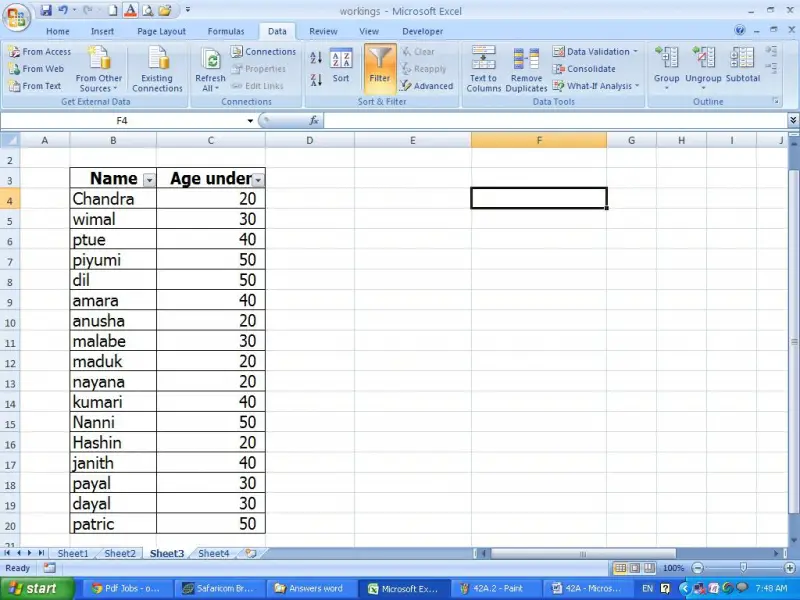
Now filter option has been shown in each heading.
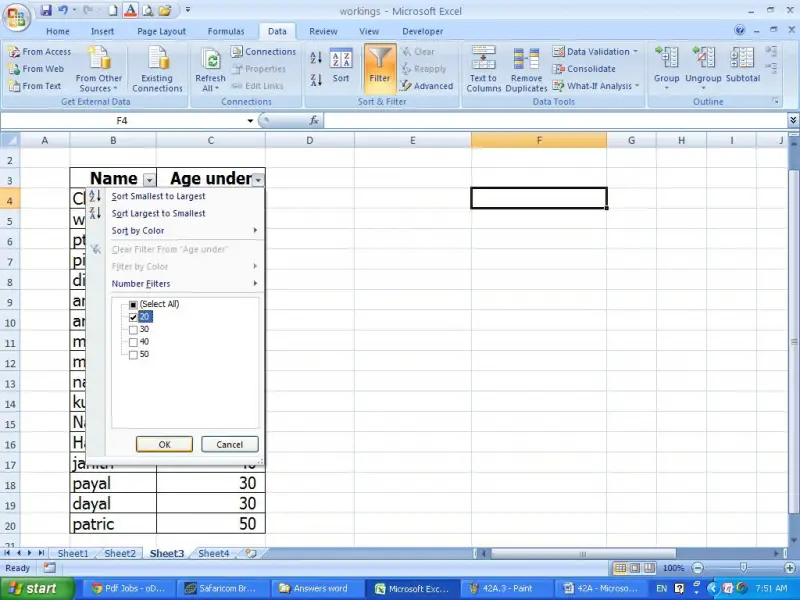
Now click on that filter button as you want. I will click on the “Age under” heading’s filter button.
And deselect all and select the “20” as follows. After, click ok.
Now you can see the age under 20 names have been filtered as follows.
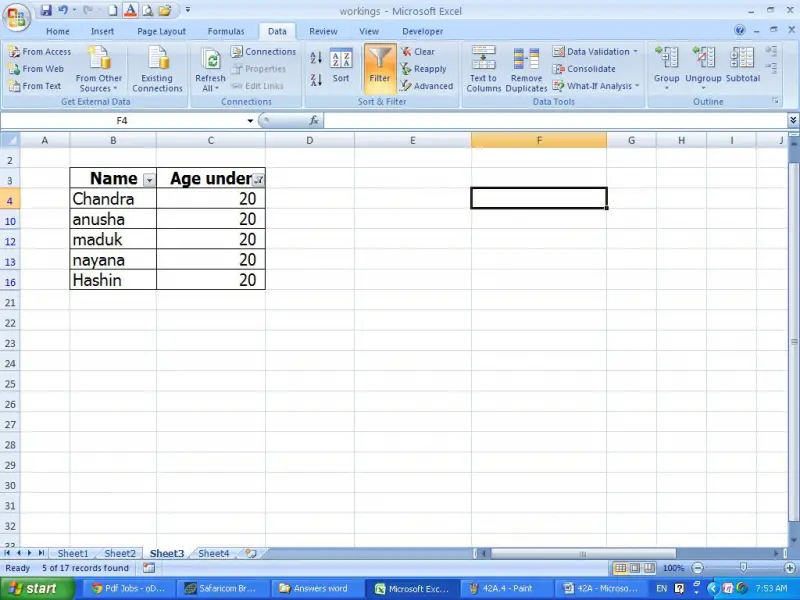
As such you are able to use this option as you want.
















