How to put hebrew on my computer free?
Asked By
0 points
N/A
Posted on - 08/18/2012

I am a IT graduate and I want to know how to put hebrew on my computer free.Can anyone suggest me a solution please?

I am a IT graduate and I want to know how to put hebrew on my computer free.Can anyone suggest me a solution please?

Hello,
Windows 7 has already built into Hebrews font pack installed in it, you don’t need to install or download Hebrews from internet or other external sources.
To enable Hebrews fonts you have to complete the following steps.
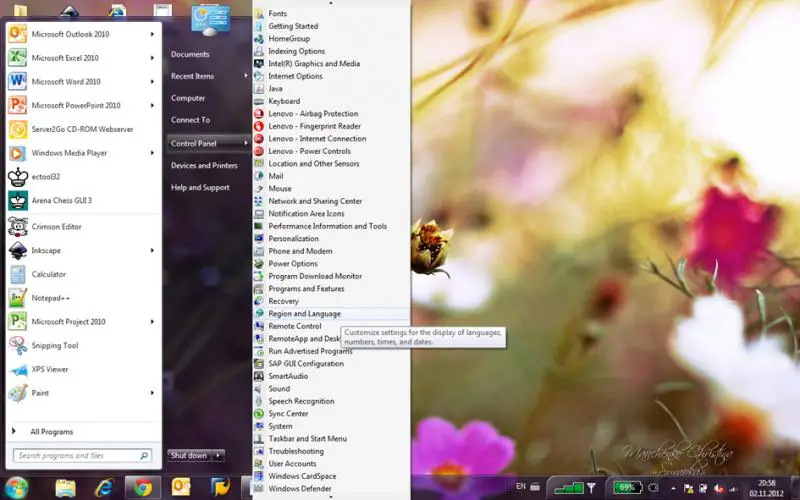
Go to “Control Panel”,
Now click on “Clock, Languages and Region” applet
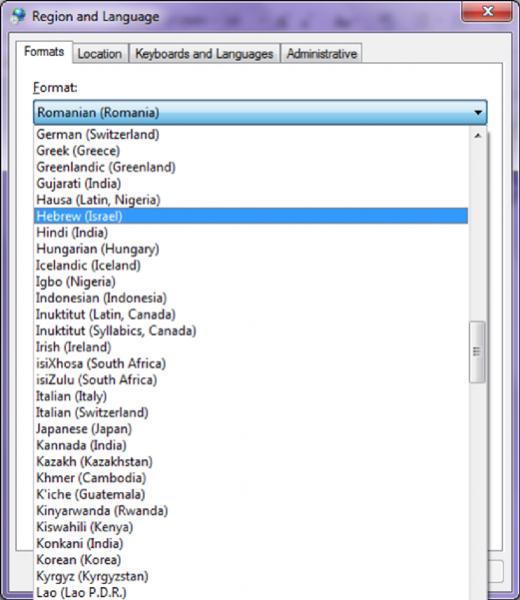
When it open click on “Formats” tab and from the drop down menu select “Hebrew Israel”
Click on “Location” and select “Israel”.
Now apply the settings.
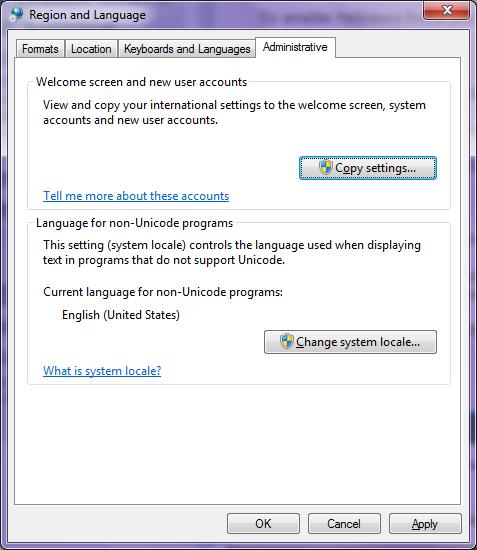
Now go to administrative tab and click on “Change keyboards“
Click “Text Services and Input Language” , click “General” tab, Select English as default input language, unless you want Hebrew as a default input language.
In “Region and Language Settings” , in “Current System Locale” select Hebrew Israel, click OK and restart your system.
Hope that works.
As Windows 7 comes with Hebrew fonts already installed, you do not have to do it yourself. They only need to be enabled as follows.
Click Start->Control Panel->Region and Language
In the new window, click Formats and choose Hebrew (Israel).
Then click Location and choose Israel.
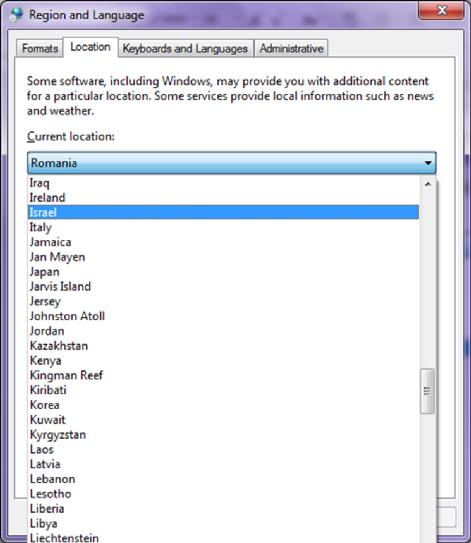
You have now Hebrew fonts available.
To add the Hebrew keyboard, click Keyboards and Languages and Change keyboards…
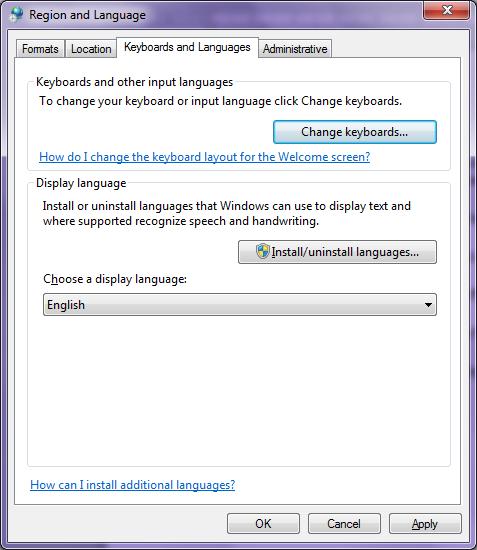
On Text Services and Input Languages click Add…
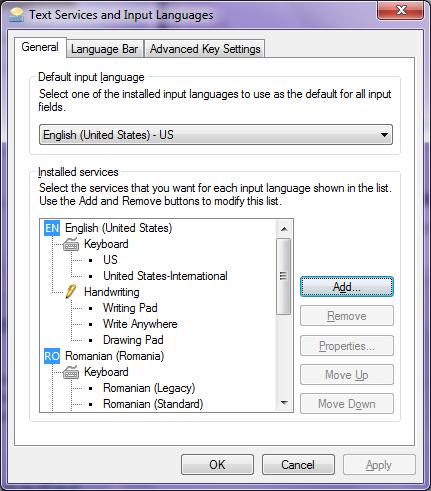
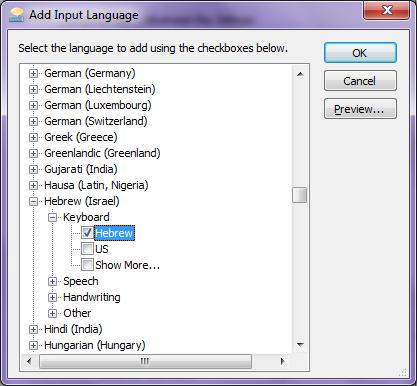
In Add Input Language select Hebrew (Israel)->Keyboard->Hebrew.
Click Administrative and Change system locale… and you are ready. You have Hebrew fonts, keyboard, input language.