Asked By
Ryan Abate
30 points
N/A
Posted on - 08/18/2012

Can anyone tell me what is wrong with my with my UGS NX software? Why it does not install in my Windows Vista laptop? When I try to install it gets stuck with the message:
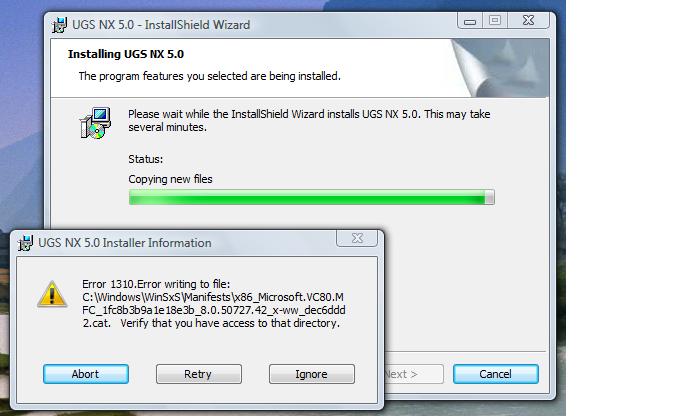
Error 1310.Error writing to file:
C:\WindowsWinSxsManifestsx86_Microsoft.VC80.MFC_1fc8be3b_8.0.50727.42_x-ww_dec6ddd2.cat. Verify that you have access to that directory.
How to install UGS NX software in vista
Hi Ryan,
Nothing wrong with it but the version of the UGS NX. The version you are trying to use is not compatible with Windows Vista.
So, what to do? Nothing to worry about it. Just use UGS NX 4.0 or any older version. I think your problem will be solved easily. Thanks.
Hathy
How to install UGS NX software in vista
Dear User,
You can easily fix this problem. The solution is log in to your system using an administrator account. And try installing this application from there.
Or you can also right click the setup.exe file and select run as administrator. If prompted provide your Administrator password. Thank you.
















