Asked By
fern bonnie
30 points
N/A
Posted on - 07/19/2012

Hello,
What do you mean by scratch disc?
Furthermore, what should I do to get rid of this problem?
It is because the software is not allowing me to use it any longer.
The error: 'scratch hard drive is full' is very irritating.
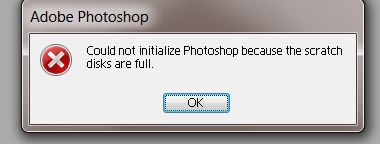
Adobe Photoshop
Could not initialize Photoshop because the scratch
disks are full.
Please assist me for this is an important issue.
How To Fix Scratch Disk Fill Error in Photoshop
The Photoshop scratch disk is your hard drive. Photoshop uses your hard disk as temporary "swap" space or virtual memory when your system is not enough RAM to perform an operation.
If only one hard drive or partition on your computer, then the scratch disk, the drive where the OS is installed (the C drive on a Windows system) can be.
How To Fix Scratch Disk Fill Error in Photoshop
Hi
A Scratch disk is any drive or drive partition with free memory, when your system running with low memory, Photoshop uses a proprietary virtual memory also called scratch disk
Solution
Try to make some spaces on your hard disk, Delete temp files, there may be some of Photoshop files you can delete (search Photoshop temp files that start with “pst”)
And assign a new scratch disk (make sure that your new drive /partition has free space)
Regards
Mckinney Ma
















