Asked By
jefrey
100 points
N/A
Posted on - 04/25/2011

Please help me. My security center is disabled. Everytime I open the security center in the control panel, It says that security center is currently unavailable. As a result, I can't use my antivirus because of disabled security center.
How to fix disabled security center in Windows XP
Type "services.msc" (no quotes) from your Run > Dialog Box.
This will enable your Services Editor.
Select the "Standard" – "Tab" > scroll to the Security Center entry.
Highlight the entry > double-click on the entry > on the "General Tab" the "Start-up Type" should be "Automatic" > "Service Status >
"Started" > if no joy, Set the Start-up Type to Automatic from the pull-down menu and Apply. If the Service Status is Stopped hit the
Start Button and Apply your way out.
How to fix disabled security center in Windows XP
Hello! I am now going to try to fix your Security Problems.
-
Step 1
-
First, you have to uninstall all redundant or security software programs since you have decided to use a Windows security product.
-
Step 2
-
Then you have to reinstall it. As a result, your problem may have been solved.
-
Step 3
-
Start a full scan with a malware scanning tool you like best. Remove all threats.
Doing the steps above may solve your problem.
Best of luck.
How to fix disabled security center in Windows XP
Hello Jefrey,
It seems like you have a common issue that scares many users like yourself. Luckily we have an easy enough solution for you to follow that should solve your issue in no time. So let's dig right into it, shall we?
1. Click start.
2. Enter the following in the search section, "services.msc".
3. Hit enter.
4. Click continue.
5. Double click on Service Center link.
6. Go under the General tab.
7. Locate start up options.
8. Change drop down menu to either automatic or manual.
9. Reboot.
That should take care of your issue and allow it to run from start up depending on what you selected.
Thanks for using Techyv and we look forward to helping you solve any future problems that you may have.
Troutman Rta
How to fix disabled security center in Windows XP
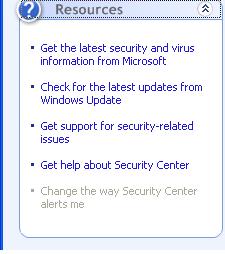
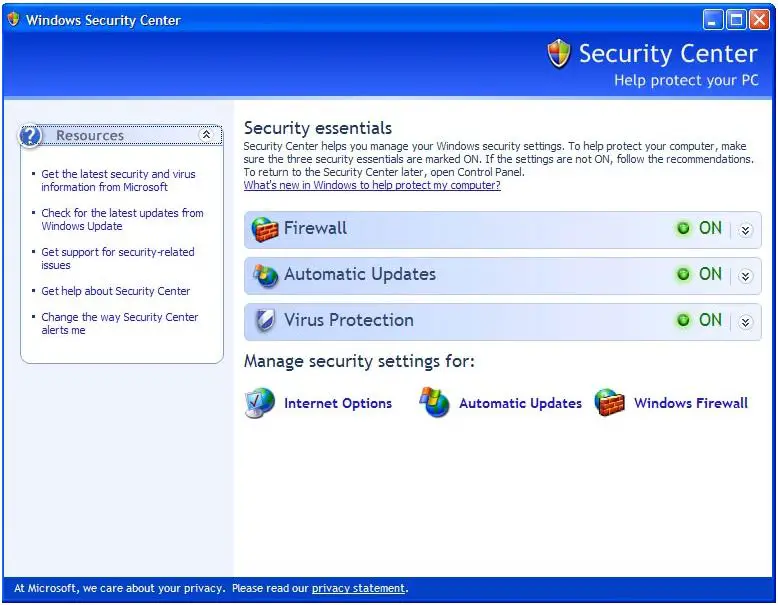
To turn the Security Center on again, click Start > Control Panel > Select Security Center. When it opens, on the Resources tab, select Change the way Security Center alerts me. It will launch the Alert Settings dialog box. Tick the Firewall, Automatic Updates, Virus Protection check boxes and then click OK. Restart your computer and then see if it resolves your problem.