
My Notification center is driving me crazy. I am getting unwanted notifications all the time. Please help, I do access and disable my notifications
How do you access Notification Center in Mountain Lion
Hi,
Here are the ways to access the Notification Center in Mountain Lion OSX:
1. You can click on the Notification Center icon found in your menu bar.
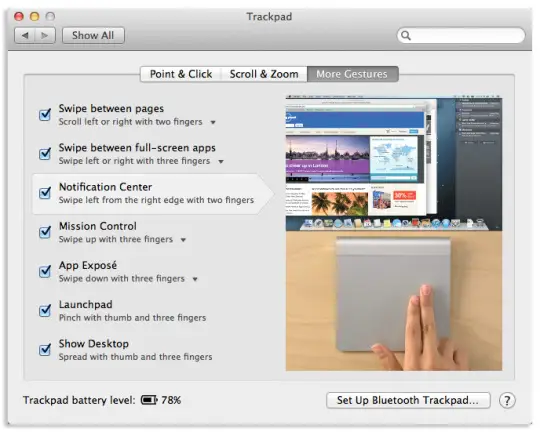
2. If you’re using a trackpad, you can us a gesture to access the Notification Center (gesture needs to be pre-activated tobe able to work.) Go to System Preferences > Trackpad > check the Notification Center box
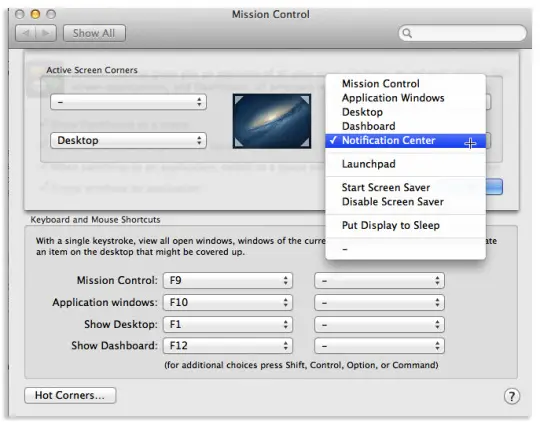
3. Touching Hot Corners (User-assigned corner of the screen.) Hot corners are set-up by going to System Preferences > Mission Control > click on Hot Corner on the bottom left.
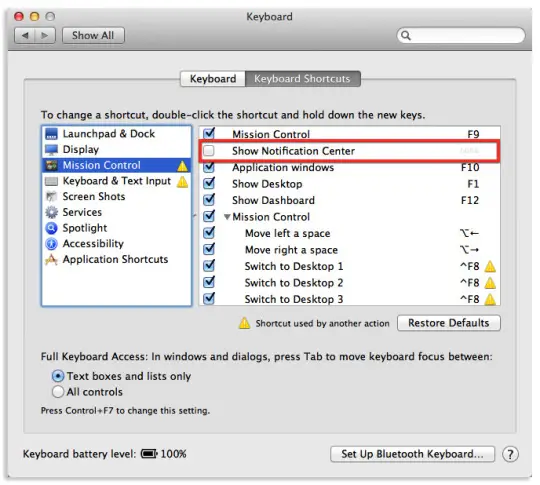
4. Setting up a Keyboard shortcut. To do this, launch System Preferences > Keyboard > click on Keyboard shortcuts button. After that, click on Mission Control, then check the Notification Center box. (Note: you will need to enter an unused keyboard key of your choice to use to access it.)
Hope this helps.

How do you access Notification Center in Mountain Lion
There are 2 options you can disable the Notification Center from alerting you, first is temporarily and second, permanently. To disable it temporarily, there are also 2 ways you can do it. First is by pressing and holding Option and then clicking on the Notification Center icon in the menu bar. It will cause the Notification Center to turn off for the entire day but will resume again the following day.
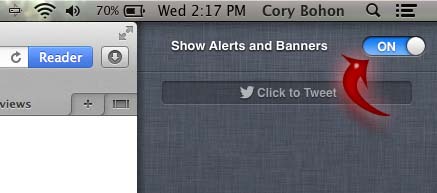
The other way is to click on the Notification Center icon to open it. Scroll up and find “Show Alerts and Banners”. Switch it off and just like the first method, the Notification Center will resume the following day. If you do this, you’ll be disabling the Notification Center each and every day. See image.
The second option to stop the Notification Center from bugging you is to do it permanently. Open the Terminal [Applications/Utilities] and then enter the following command and then press Enter afterwards:
-
sudo defaults write /System/Library/LaunchAgents/com.apple.notificationcenterui KeepAlive -bool false
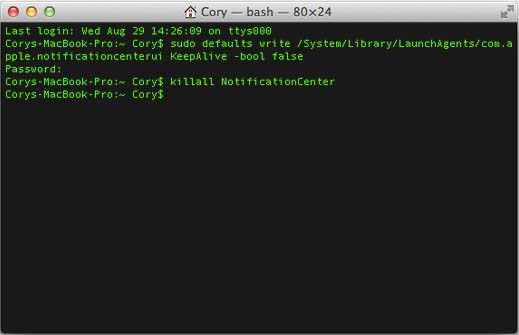
After doing this, you’ll be required to enter your administrator password. Enter your administrator password to continue. Next, you need to close the Notification Center by entering the following command and then press Enter afterwards:
-
killall NotificationCenter
The next time you login to your computer or when you logout and login back, you will not see the Notification Center icon in the menu bar. To restore the Notification Center permanently, replace “false” in the first command with “true” and just follow the same procedure.
















