
I want to try out Linux but I don't want to reformat my hard drive with Windows on it.
Is there a way I can do that without removing Windows from my PC or reformatting my hard disk? I am afraid I might ruin the partition and render Windows useless.
Thanks a bunch.
How do I install Linux without reformatting my hard drive?
Try VirtualBox (https://www.virtualbox.org/). It's a free Virtualization software. If you install it, it will let you install any operating system like it was on another physical machine. It will let you run Linux at the same time as Windows. It's like having 2 computers running at the same time.
Another solution if you will use Ubuntu Linux is to use Wubi. Wubi lets you install Ubuntu Linux under Windows. Once installed, it will be like you are dual booting Windows with Linux but without the hassles of repartitioning your hard drive. At startup, you will be presented with a choice to select whether to boot with Windows or with Ubuntu Linux.
Hope this helps and welcome to the world of Linux!
Answered By
Tom_mi
0 points
N/A
#111940
How do I install Linux without reformatting my hard drive?
If you have an Ubuntu Live CD, you can easily install Ubuntu to a separate portion of your hard drive (Ubuntu can do it automatically). Then when you boot your computer, you will be asked which OS you want. Like this:
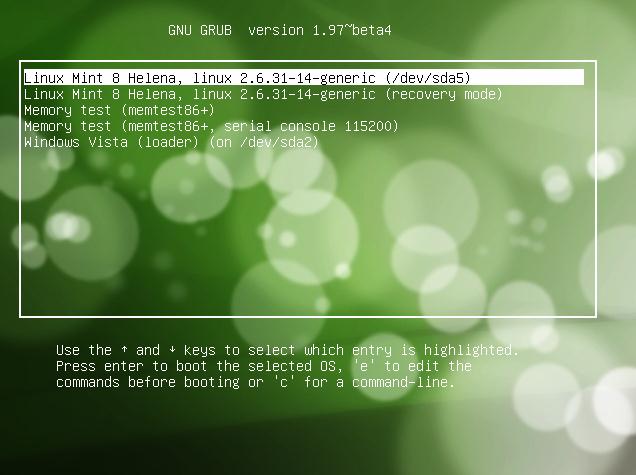
While installing you don't format or upgrade your system by going on advance menu. Just select the drive you want to install your Linux and click next or accept. it is easy task then after.
Have fun.
















