

How to debug log on failures caused by Microsoft Exchange Server 2007?

Hello experts,
I am having some log on failures which I think caused by Microsoft Exchange Server 2007 on SBS 2008.
I tried to apply Update Rollup 4 for Exchange Server 2007 Service Pack 1.
I created a custom report alert and then copied it into the correct directory.
I restarted the Windows SBS Manager Service but I saw the log on failure in the Windows SBS Console flagged in the Network Essentials Summary under other alerts.
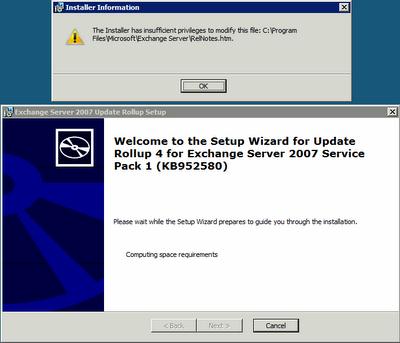
The log on failure was not the wrong log on attempts. I think those were hiccups from the Microsoft Exchange Server 2007 setup. I tried to run the .MSP file, but I received an error message above. Any help will be much appreciated.
Thanks!
Error:
The Installer has insufficient privilege to modify this file: C:ProgramFilesMicrosoftExchange ServerRelNotes.htm.













