
Hi everyone,
I want to display a date range at once according to the date I type on the first cell. That means if I type
Monday, June 04, 2012 on Cell B2,
Cell B3 should display Tuesday, June 05, 2012
Cell B4 should display Wednesday June 06, 2012
Cell B5 should display Thursday June 07, 2012
B6, B7, B8……etc.
But it should not show Sundays.
Please Help.
How to create a formula to get date rage at once
Your requirement can be fulfilled by using some Microsoft excel functions. Basically I am using “if “function with the weekday function.
As your example I assume that you want to enter these date range in the column B.If it is change the data format of the entire column as follows.
Select the entire column and right click.
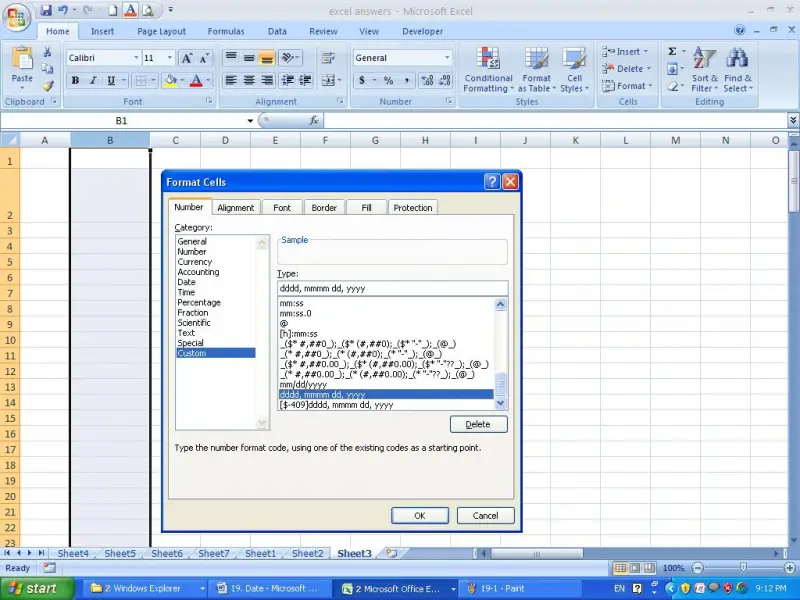
Then click on the format Cells and select the Custom menu in the Number tab.
Select the following data format or if it is not available type it and click ok.
Format is “dddd, mmmm dd, yyyy”
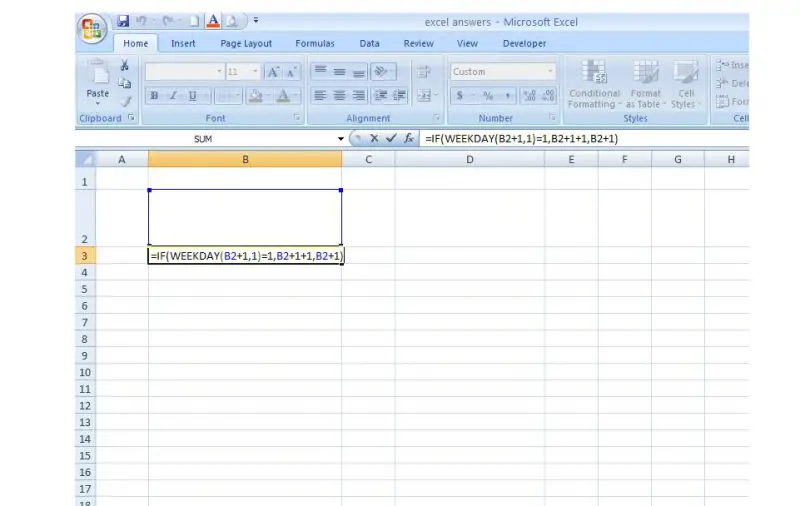
If you are going to enter the first date in the cell B2, type the following formula in the Cell B3.
Here is the formula.
=IF(WEEKDAY(B2+1,1)=1,B2+1+1,B2+1)
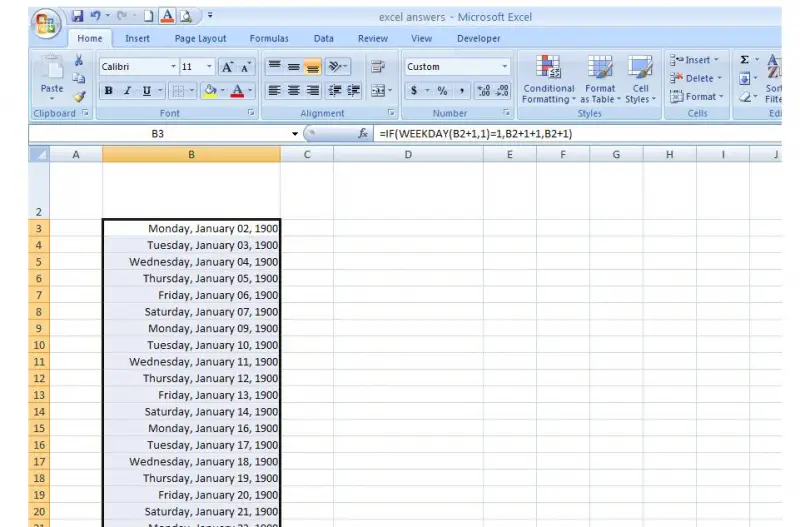
Now copy that formula in the cell B4,B5,B6………….etc up to the total period that you want to have your data range.
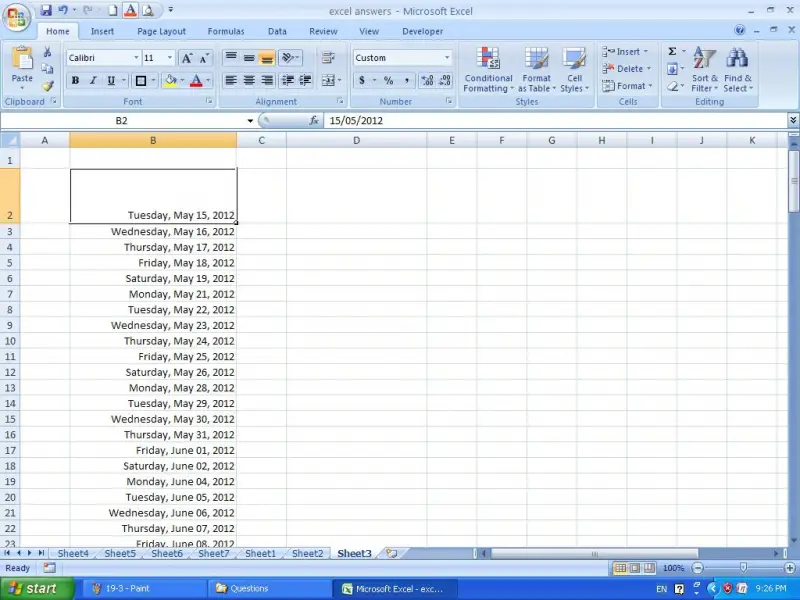
Type the first date in the cell B2. You should type the date according to your PC ‘s date format.
Now you can see the result that you want as follows.
How to create a formula to get date rage at once
I've also encounter a problem like this but I finally got the solution and I'll share it with you. What you need to do is key-in this function ‘=IF(B2="","",IF(WEEKDAY(B2+1)=1,B2+2,B2+1))’ in cell B3. After that what you need to do is drag down cell B3 so that the formula will be present up till the desired cell. Hope this helps.
















