A group policy object in SYSVOL doesn’t show up
Asked By
60 points
N/A
Posted on - 08/11/2012

A group policy object in SYSVOL doesn’t show up in our Group Policy Management Console. We place our group policy objects in a System folder which is in the Active Directory schema domain partition: Domain -> System -> Group Policies
Connecting to the default domain partition through ADSI Edit will enable someone to look at the policies. One policy is displayed in SYSVOL and ADSI Edit but all attributes are unavailable.
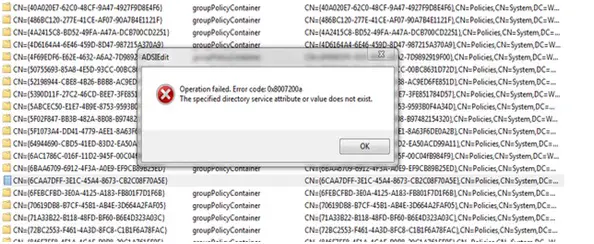
Deletion of that file gives an error message saying “Operation failed.
Error code: 0x8007200a the specified directory service attribute or value does not exist.” Why does it still display that policy even if it’s nonexistent