

Glassfish V3 Installation Error – JDK

Hi guys,
I am trying to install an open-source application server GlassFish v3 on my system since the last two days but I could not succeed. Each time I start the installation, an error window pops up on my screen. The screenshot of the error is attached below:
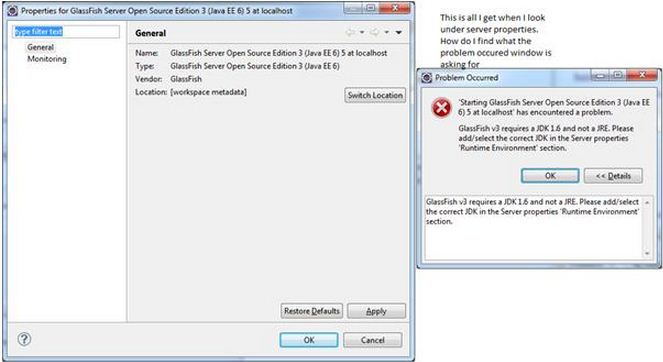
Problem Occurred
'Starting GlassFishServer Open Source Edition 3 (Java EE
6) 5 at localhost' has encountered a problem.
GlassFishv3requires a JDK1.6 and not a JRE. Please
add/select the correct JDK in the Server properties
'Runtime Environment' section.
OK << Details
GlassFishv3requires a JDK1.6 and not a JRE. Please add/select
the correct JDK in the Server properties 'Runtime Environment'
section.
As you can see, it asks me to select a java development kit (JDK) in the server properties and in the runtime environment section also but I cannot see it anywhere.
Has anyone else encountered this problem before? If yes, please do let me know.
Looking forward to your replies.
Regards.
Jerry













