

Flexible license manager error in vista software.
Asked By
30 points
N/A
Posted on - 08/19/2012

We are using Vista software in our business workstation.
For last few days the software was reinstalled by one of our employee.
It is displaying the following error.
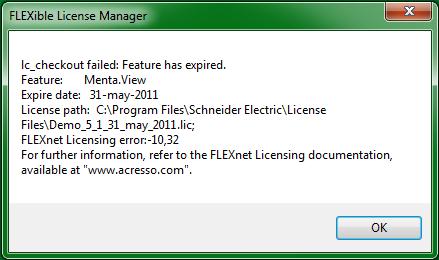
lc_checkout failed: Feature has expired.
Feature: Menta.View
Expire date: 31-May-2011
License path: C:Program FilesSchneider ElectricLicense FilesDemo_5_1_31_may_2011.lic
FLEXnet Licensing error:-10,32
For further information, refer to the FLEXnet Licensing documentation, available at "acresso.com"













