
How can an Excel spreadsheet automatically generate all the months in a sequence?
I find it tedious to type them manually each time I work on my company’s reports?
Excel spreadsheet automatically generate all the months
Type the first 3 months
1. Means just complete 1 to 31 or 30 against Mon, Tue, Wen …. Etc.
Weekdays. Now start from January assign the 1, 2, 3, 4,….. Dates to the weekdays.
2. Now do the second month in the same way.
3. The third time you need to assign the same. Leave the February month. Start this since Mar, Apr, May.
4. Select all the months that you have typed. Now drag the bottom right handle to the lower cells till all 12 months are covered. Now set February means the last month for 28 or 29 days.
Excel spreadsheet automatically generate all the months
Hi Coshaun,
It is possible to save a great amount of time by using some very simple methods with Excel.
Follow these steps to make it easier to write the date:
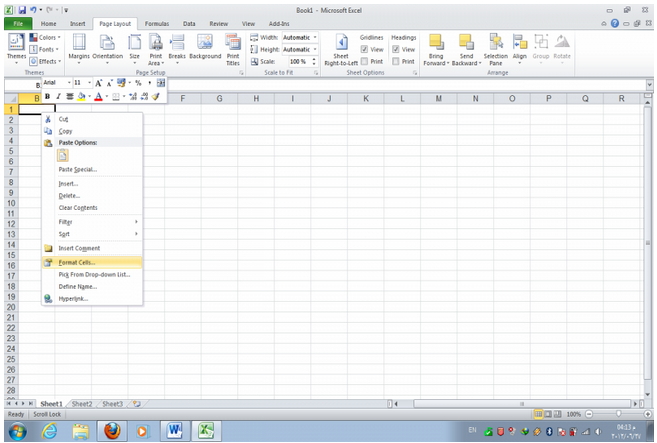
1. Open the sheet you want to write the sequence of months in and Right click on a cell, then select Format Cells.
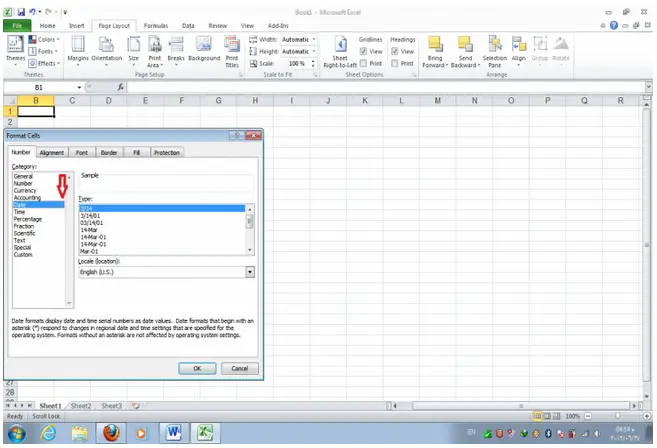
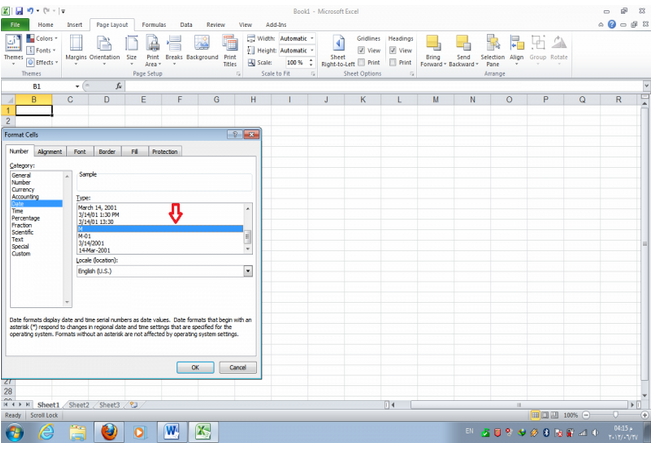
2. In the category menu chooses Date and on the type choose the format you want the date to be written (choose M for month names only).
3. Write January or whatever month you want the sequence to begin with then hit ENTER.
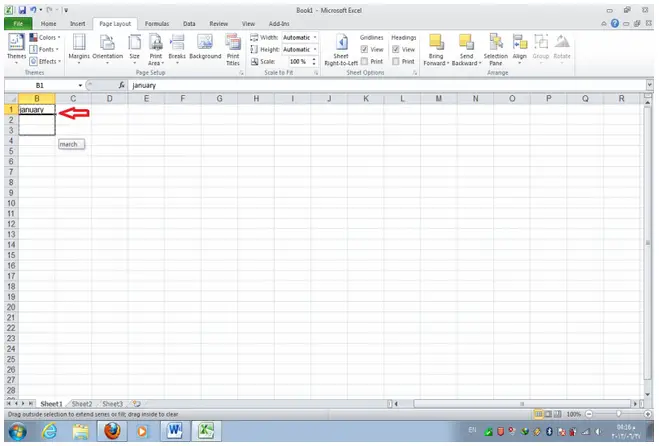
4. In the bottom right corner of this cell you will find a plus sign. Drag it in the direction you want the auto listing to continue and you will see the month names automatically appearing on the screen and repeating from the start when a full year is finished.
This procedure can also be used for auto filling numbers and other type of data just by changing the type of data of the cell and following the rest of the procedure.
Hope this helps.
















