

Error seen while bringing existing blocks into drawing using GIS software geomedia

Hi friends,
I am a GIS analyst and I am using the GIS software geomedia to maximize the value of all the geospatial resources. I have made a 2011 drawing for layout of the parish water system. I have recently converted the shape files from geomedia and imported all into my drawing file.
When I try to use the design center to bring the existing blocks into my drawing, I get an error.
The screenshot of the error is as follows:
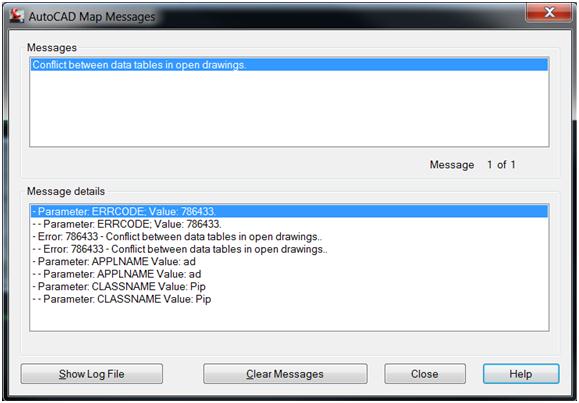
Conflict between data tables in open drawings.
I cannot insert the blocks into my drawing. I have tried all means to solve the problem, but all in vain. I posted it to many forums and a lot of people responded. Most of them have emphasized on buying ESRI, but let me tell you all that my boss will never agree to it. So, I have to find a solution to it using geomedia.
Any help in this regard will be highly praised
Thanks.


![Zenphoto Version 1.4.1.1 [7644] Admin Toolbox Not Working](https://www.techyv.com/sites/default/users/superadmin/qa-featured-100x70.png "Zenphoto Version 1.4.1.1 [7644] Admin Toolbox Not Working")










