Asked By
Alex Russo
10 points
N/A
Posted on - 07/01/2011

The server at <site url> can't be found, because the DNS lookup failed. DNS is the web service that translates a website's name to its internet address.
Error 105 (net::ERR_NAME_NOT_RESOLVED): Unable to resolve the server's DNS address.
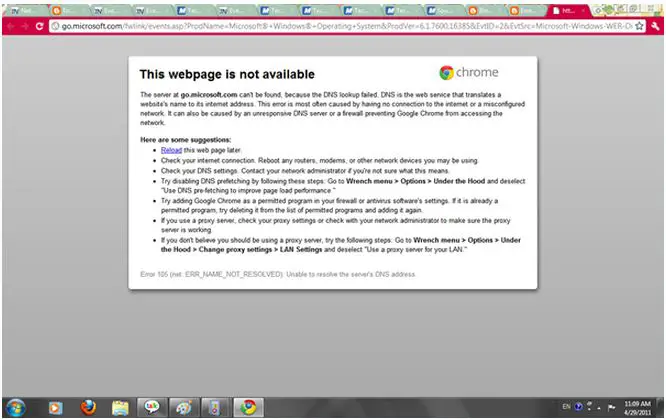
DNS Error 105 (net:: ERR_NAME_NOT_RESOLVED)
Hi Alex!
Usually, this error occurs when the browser is not able to connect to the internet due to a misconfigured network, unresponsive DNS server or a firewall not letting Chrome connect to the Internet.
Here is what to do:
-
Try reloading the page later.
-
Check your Net connection and restart devices like modems, router etc.
-
Check your DNS setting.
-
Disable DNS prefetching: Go to wrench menu >options >under the hood and deselect 'use DNS prefetching.
-
Add chrome as permitted program in firewall.
-
Check Proxy setting.
DNS Error 105 (net:: ERR_NAME_NOT_RESOLVED)
Are you getting the same error message when opening other URL? Or just to the same URL? I see that you are using Google Chrome browser, did you try to use other browser such as Firefox? Did you receive the same issue? To fix this in Chrome, switch your DNS addresses to the Google addresses. Set the Primary DNS Server to 8.8.8.8 and the Secondary DNS server to 8.8.4.4. Find the following DNS addresses in the computer icon and click it. Launch the Open Network and Sharing center. Choose the network connection that you use. And then select Properties>Find Internet Protocol (TCP/IP) (ipv4) from the list and then select it and click Properties. And select Use the following DNS server addresses and then press Enter. The Preferred DNS server is 8.8.8.8 and the alternate DNS server should be 8.8.4.4. Click OK and then try to open your browser again and see if the error still occurs.
DNS Error 105 (net:: ERR_NAME_NOT_RESOLVED)
Hello Dear,
This is a very common problem these days, and this problem happens when your network connection fails to transmit or receive data from the server.
DNS Server Failed means that the server on which the website is uploaded is failing to give you data, or your network connection cannot reach the server to get data, so the DNS server port is now blocked.
You can overcome this problem by repairing your network.
Right click on the network connection icon in the system tray, and click on repair.
Check your networking cable and other sources that supply your network. Check that the routers, switches and server devices are working well. Restart all of your routers. It will fix the problem. Thanks.
DNS Error 105 (net:: ERR_NAME_NOT_RESOLVED)
There are many reason for this issue as including network unavailability, firewall blocking access of certain pages, server unavailable etc. I have found another techyv post which is similar this error. So my recommendation, visit this page and get more idea about this issue.
Error 105 (net::ERR_NAME_NOT_RESOLVED): Unable to resolve the ser…
















