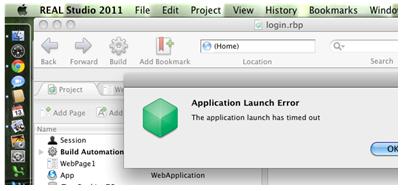
Can you tell me a specified reason why I had encountered error in running the Real Studio 2011 Program?
I have provided this screen shot so that you’ll have a clearer understanding of what I am error I am referring.
Application Launch Error
The application launch has timed out
OK
Can you please at least give me proper directions to be able to run the program properly?
Encountered error in running the Real Studio 2011 Program
Hello Priscilla,
To resolve the issue that you are getting, you will need to try the following workarounds:
-
You will need to go to the following folder location on your computer and then delete all the files there: C:Users<username>AppDataRoamingReal Studio
-
That is the cache that you will be getting rid of, for it may be possibly the one causing the issue that you are getting.
Otherwise, it is important to know that RS is meant strictly for 32 bit, and therefore you may be trying to install it and run it on a 64 bit system which is not possible. The application may install but when it comes to compiling it will probably result in what the error that you are getting right now.
Regards,
Carl