

Crystal Reports Viewer Error: Physical Database Not Found
Asked By
40 points
N/A
Posted on - 05/08/2012

We are getting an error on the controller for the Crystal Reports viewer: "Physical database not found". I have encountered this error when I opened a specific report on the Visual Basic project I am working on. The message would pop up and I cannot do anything since everything on the screen would stop. I have already mapped the database with the project. I need your help in fixing the problem to continue with the project I am working on. Right now I am stuck and cannot proceed. I will try anything you suggest.
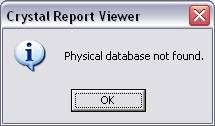
Error:
Physical Database not found.













