Asked By
davewilson
440 points
N/A
Posted on - 10/28/2011

I need to make arcs in a circle and also needs to customize it by adding special effects and design to the image. I am really new to using Photoshop so I need a little guidance now. I used the pen tool to do the arc, but sadly I was not able to make the shape I intended to make. How can I do it in Photoshop? Please help me.
Creating and Customizing Arcs on Photoshop
Creating arc of a circle is easier than using a pen tool especially if you are not more on using the pen tool. I'm going to teach you how to create arcs using elliptical marquee tool.
1. Create work new work space.
2. After Creating work space then create a new layer by selecting at the menu Layer->New then Layer then press OK.
3. Then You can now start to create a circle by selecting Elliptical Marquee Tool.
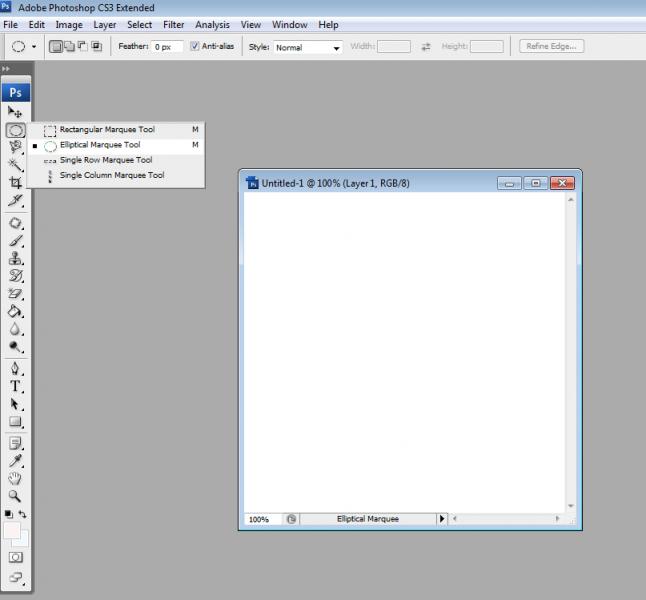
4. Then create an ellipse in your work space.
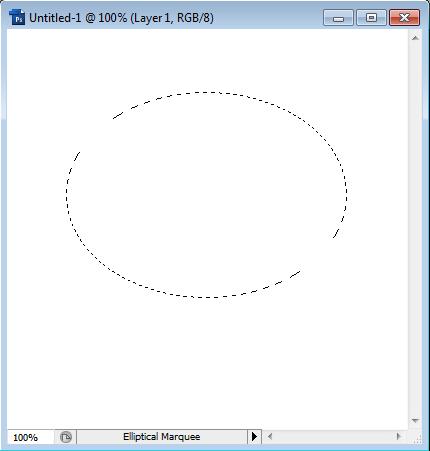
5. After Creating Ellipse. Fill it with whatever color you want. You can use fill color to do that.
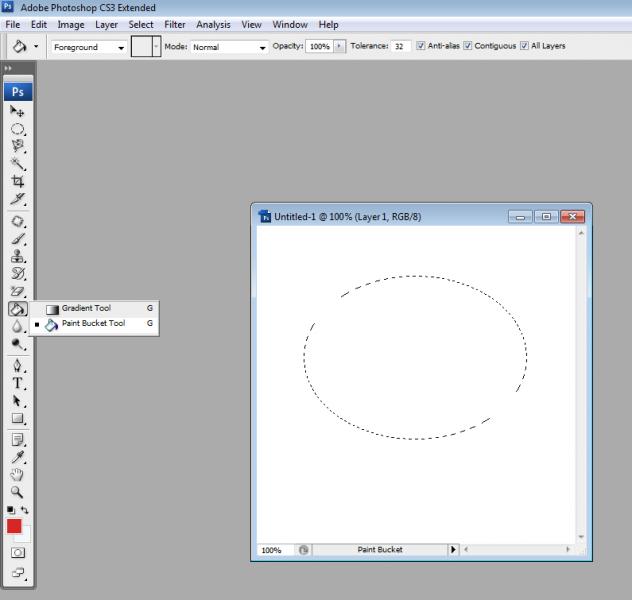
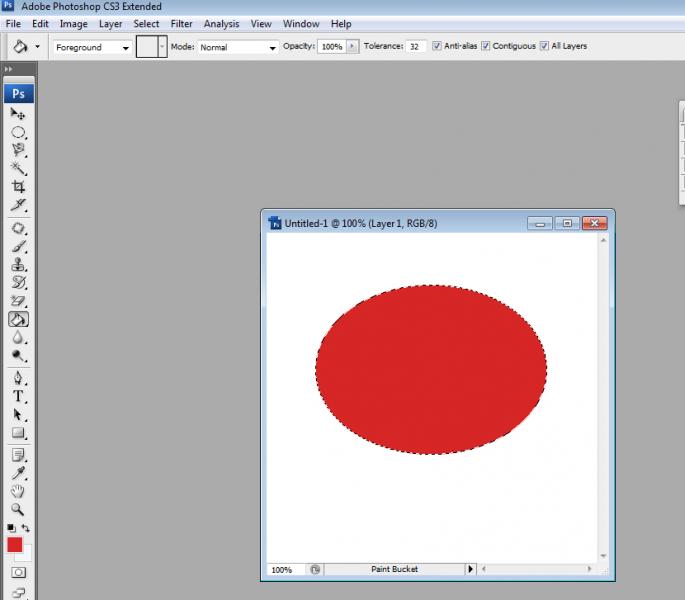
Then Press CTRL-D To delete the circle.
6. Now we are here to create an arc. Go again to Elliptical Marquee Tool and create another one and try to do with what on the image below.
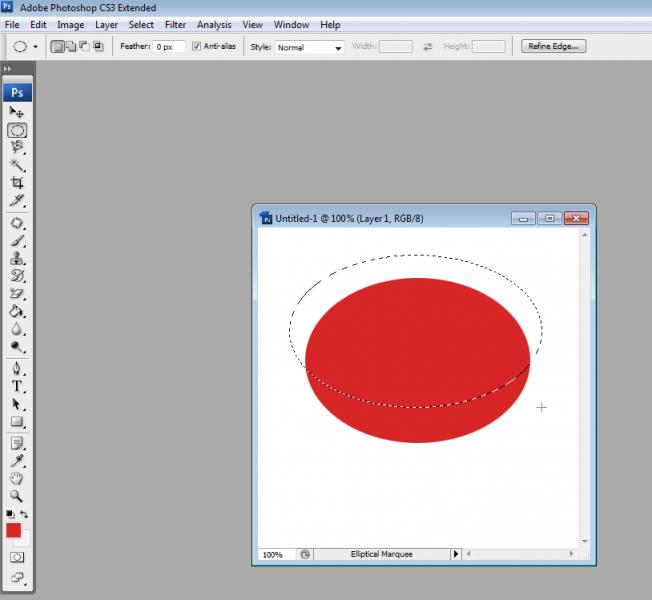
7. After you do that then press delete on your keyboard then press CTRL-D again. And you're done with your arc.
Hope it helps.
Creating and Customizing Arcs on Photoshop
You need to take the course of Photoshop it is of almost three months course and you can do this course from your local institute or from any other source as well. If you are getting some problem in your plugins for Photoshop then you can simply reinstall them by reinstalling the product.
Some basic tools I can tell you here is rectangle tool. to make arc you can go to this tool and from there you can build the shapes you require and as shown there. You need to understand all the tools and techniques to implement it. It is a big process to do this all and it takes time to understand. You need know all the tools used in that program. As I have shown in the picture.