
While trying to update my Windows Live Messenger when I got an error stating
Windows Live Messenger
Could not open key: HKEY_LOCAL_MACHINESOFTWAREMicrofostWindowscurrentVersionExplorerBrowser
Helper Objects {7E853D72-626A-48EC-A868-BA8D5E23E045}. Verify that you have sufficient access to that key, or contact your support personal.
OK
I have tried a lot to install and uninstall the software, but the error remains the same.
And my browsers helper objects are also not working.
What can I do to fix the error?
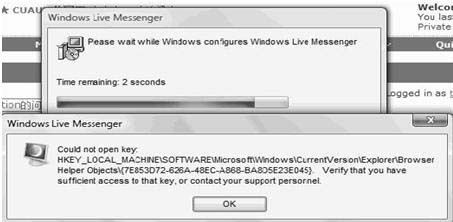
Could Not Open Key Error in Windows Live Messenger
To resolve that problem, you will need to do the following:
-
While using Internet Explorer, you will need to go to: https://security.symantec.com/maintenance.html
-
And then you will click on "Continue to Symantec Security Check".
-
In the next window that comes up, you will need to click No if you are prompted close the window, and that will bring you to a window where you should click Virus Detection.
-
You will then need to write down exactly anything the antivirus finds, and thereafter you will need to go here.
-
There you will need to do a search for what was found.
-
You will then follow the instructions for removal of any virus that was found, step by step, especially the part regarding disabling System Restore.
-Thompson Locker















