Asked By
patty white
10 points
N/A
Posted on - 08/21/2012

I had no problems deactivating the MailGuard in Avira but when I reactivate, it gives me an error “Avira Premium Security Suite MailGuard could not be started.” Did I make a mistake when I deactivated it?
I really want to reactivate it. Please tell me what went wrong and how I can turn it back on.
Thank you!
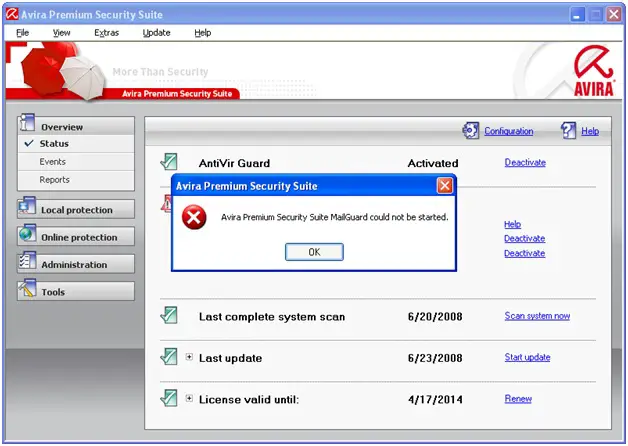
Avira Premium Security Suite MailGuard could not be started
Hi,
It is very important to restart your computer in safe mode with networking.
Click on Start > Run > CMD and enter the command below:
cd "C:Program FilesAviraAvira Premium Security Suite"
fwinst.exe -u av_fltdev9
avfwsvc.exe /Service
fwinst.exe -l avfwim.sys avfwot.sys avfwim.inf netsf_m.inf av_fltdev9
Again restart your computer.
I think you should have no problem.
Thanks for asking.
Hathy
Avira Premium Security Suite MailGuard could not be started
Hi,
First of all thanks for selecting our site for your query,
follow as i say and your problem will be solved.
– Go to Start
– Programs
– Accessories
– right click on the Command Prompt and choose Run as administrator.
– Type "netsh winsock reset" (without the quotes) in the Command Prompt window
– and then press the Enter key.
– Restart the computer.
– Go to Add or Remove programs in Control Panel and select Avira.
– Press Change.
– Select Modify and make sure all the boxes are checked, then click Next.
– Restart the computer.
Regards
Lopes Natanne
Answered By
chelsea2
0 points
N/A
#150105
Avira Premium Security Suite MailGuard could not be started
Hi,
Make sure you have the one existing virus scanner, just if you have other anti-virus, remove the program list, under Start- Settings-Control Panel – Add or remove programs.
Keep in mind that you need to have the newest version Avira version installed on your PC. Start re-download the exact Avira software you purchased and start the installer, then select the option Repair/ Update, click Next, then Finish. Do not forget to restart after done with the steps.
Good luck
















