Asked By
ney steele
20 points
N/A
Posted on - 08/21/2012

Running Avira generates the error message below.
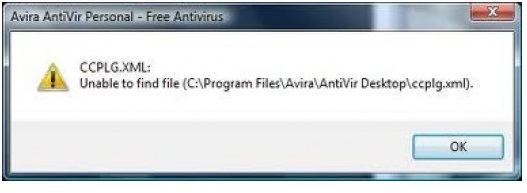
Avira AntiVir Personal – Free Antivirus
CCPLG.XML:
Unable to find file (C:Program FilesAviraAntiVir Desktopccplg.xml).
OK
Why does it do that?
Does this mean I have to reinstall my Avira?
Avira generates the error message
Hi,
You need to reinstall Avira Antivirus software. However, if uninstalling of the software through Start – Control Panel – Add/Remove Programs (for Windows XP) or Start – Control Panel – Programs – Programs and Features (Windows Vista / 7) is not possible then you have try another way. Unload the Avira Registry Cleaner in the folder of required directory. Run the Registry Cleaner program clicking RegCleaner.exe. Click on Scan for keys turn on option Select all and delete them all. Restart your system. Download latest installation file from the Avira Antivirus software website. Now install again the Avira Antivirus software on your system.
I hope you understand it.
Avira generates the error message
Hi ney,
Some of your files from Avira is corrupted or affected by malware or viruses. So, remove your Avira from program files and then try to install again. This will help you to solve this problem. if you can't uninstall it then use CCleaner to uninstall Avira. Thanks.
















