
Hello gurus,
I recently installed Windows 7 on my PC and I am trying to re-install Auto 3ds MAX 2011, 32bits. Whenever I install this software and I go to ALL PROGRAMS on the start bar menu the shortcut of the programs says Change Graphical Settings when it’s suppose to be sometime like the name of the software. And when I open it anyway the screen displays it is loading but then a pop up error message displays "Software License Checkout Failed :Error 20". The message is displayed at the end of this question. And after this the program closes. I had tried by uninstalling and installing the software several times but there is no change in the result. I need help from one of you guys because I really need this software is to be installed. Thank you.
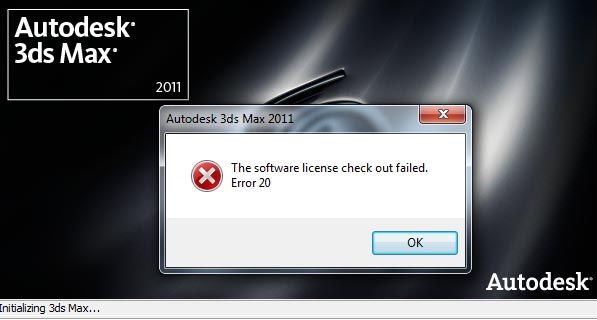
Autodesk 3ds Max 2011 – ‘Software License Checkout Failed :Error 20’
You probably didn't start the FLEXnet Licensing Service. Most services, applications use, start on reboot. You probably didn't reboot after the installation procedure.
To start the service manually:
1) Hit Win + R
2) Type services.msc in the box and hit enter
3) From the dropdown list search for your service (in your case it would be the 32-bit version) and manually start it
That should do the job. I hope this helps.
Autodesk 3ds Max 2011 – ‘Software License Checkout Failed :Error 20’
Hi,
I feel you have not got the appropriate licenses. You need to check the license and then you need to reinstall the software and check for the problem. The license problem will definitely be solved through this method. Change the graphic settings to fit the graphics card you have like NVIDIA and then you will find the graphics settings problem resolved as well.
Waters Magner
















