Asked By
PaulLee
0 points
N/A
Posted on - 08/09/2011

Hi,
I am trying to install my first AIR application on one of my MAC OS X machine and I am not able to do so successfully.
When I try to install it I come up with this error message.
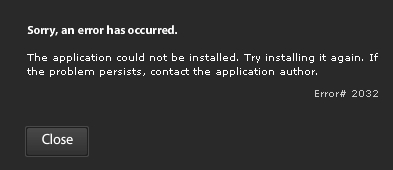
Sorry, an error has occurred.
The application could not be installed. Try installing it again. If the problem persists, contact the application author Error# 2032
I click on close and the error just goes away, giving me no clue of what I need to do to proceed further. I tried using in another user account but it still comes up with the same error message.
Can anyone help me with this issue?
Answered By
Ken Mark
10 points
N/A
#85419
The application could not be installed error
Have you been to the office or home network?
At the workplace do you have any kind of restrictions, with regard to downloading/installing software program? Are you the individual administrator on your PC? I mean is your profile the actual grasp on your computer?
The problem occurred the very first time you wanted to set up the particular PC app correct? Thus, there were no prior variations on your device?
Thanks, these data aids a lot for people to investigate the problem.
The application could not be installed error
If you have successfully created your own application using AIR and it would not install on your Mac OS X computer, be sure that your application is compatible with your computer’s operating system. You can not install an application on a wrong operating system. Aside from the fact that it will not work, most of the time the installation is already aborted even from the start of the process. Although there are times when an incompatible application can still be installed on the wrong operating system, the fact still remains that it will never work.
You need to make your program to be compatible with the Mac OS X operating system or you can try installing it on a computer that is running on either Linux or Windows platforms.
















