

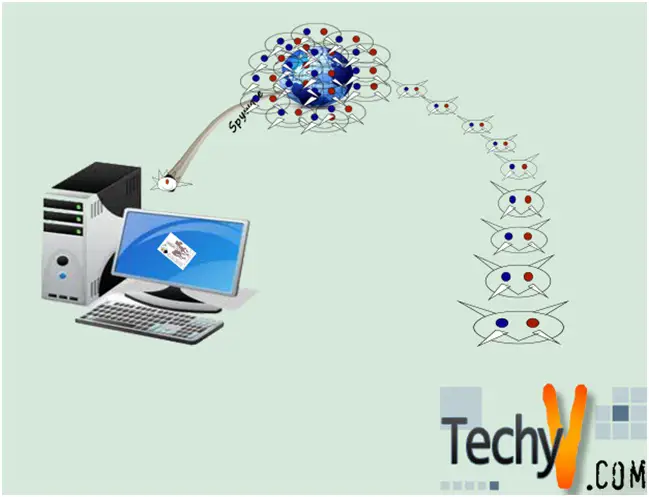
What is a Spyware?
Spyware and Adware collect system or personal information from your computer without your knowledge and report about that data to the perpetrator.
Information collected can be personal information, email address, buying habits, website visits and also financial account information and password details.
The information can be used by identity thieves or advertisers.
How do you know that your computer has spyware?
- Pop-up ads may appear suddenly even if you are not browsing the net.
- Your browser's home page may be changed to a page you have not chosen.
- Your Internet connection may be slower than before.
- You may notice new items in your startup menu.
- Unwanted bookmarks are added.
The best defense against spyware is to follow some basic rules like:
- Don't click on advertising and inside pop-up windows. Always close them using the “X” in the corner.
- Don't download any software from unknown sources.
- Find a trustworthy review before downloading any software's and freeware's
- As most spywares are written for IE, you may use alternative browsers.
- Delete unsolicited emails without opening them.
- Don’t download any exe programs except from trusted sites.
- Clear cookies every time you close the browser.
- Set up your browser to not download any ActiveX components automatically
- Update your operating system, browsers and programs with the latest security patches.
- Follow a regular backup-restoration procedure; if your system gets infected, you can restore it from your backups.
- Use an Anti-spyware software that is legitimate and from a trusted source.
- Some spyware masquerade as legitimate spyware-removal tools. So you should never click on a pop-up or email link that offers to scan your computer for viruses or spyware.
What are the qualities of Anti-spyware software?
- They should perform three functions: spyware scanning, removal, and protection.
- Background monitoring is a must; the anti-spyware program must prevent spyware from installing.
- They should have frequent spyware definition updates to offer protection against the latest spyware.
- Compatibility with other security programs.
- Automatic scan scheduling is a good feature to have.
- It should give information about threat level and severity of a component to help with decisions on whether to ignore, delete or quarantine.
- Recovery of a quarantined program should be possible.
- Online, email and telephone support should be efficient.
Comparison of some of the most popular anti-spywares available:
|
Name |
Cost |
Extra features |
Pros |
Cons |
|
PC Tools spyware doctor |
$30 |
Detects Rootkit Automatically updated Customer support |
Accurate and thorough Malware Detection and removal User friendly interface |
Malwares are not removed by the trial version Expensive |
|
Sunbelt counterspy 4 |
$20 |
Boot time scans Protects Rootkit Identifies and deletes Malware |
Fully functional 15day trial Accurate scans |
Not the fastest High RAM Requirements |
|
Norton internet security 2010 |
$45 |
Anti-phishing Anti-spyware Anti-virus Anti-spam Parental controls Firewall
|
Excellent protection from spyware, virus and spam Good features Free online support User friendly |
Expensive
|
|
Lavasoft Ad-aware Free AntiMalware |
Free |
Automatic updates Online knowledge base
|
Free Decent performance
|
No automatic scans Cannot scan network drives Registry protection is not real time |
|
Malware Bytes Anti-malware |
Free |
Malware scanner and remover File unlocker Threat quarantine |
Fast scanning, Effective and easy to use interface |
No real time protection, No scheduler |










